A touch display can look perfect in a sample room and still become a problem after installation. A screen inside a sun-heated kiosk may begin missing touches in the afternoon. A warehouse terminal may boot slowly after a night in cold storage. For a business buyer, these are not only technical faults. They lead to service calls, interrupted operations, delayed rollouts, and avoidable replacement costs.
The right approach is to evaluate the complete display system, not a single temperature number. The LCD, touch sensor, cover glass, bonding material, controller, power design, and enclosure all need to work together in the actual application.
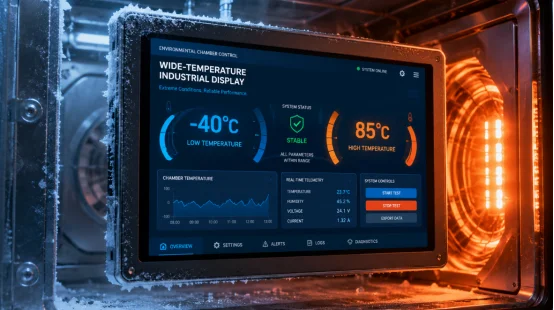
Extreme hot and cold temperatures change how a display acts. Heat triggers touch drift and false inputs. It dims screens and ruins colors. Adhesives and seals also wear out much faster.
Meanwhile, freezing cold slows down image response. It creates ghosting and hardens bonding materials. Glove operation gets quite tricky too.
Fixing these flaws gets very pricey once units are installed across multiple stores, warehouses, or clinics. Even a tiny failure rate creates a massive support nightmare. Therefore, procurement teams must look past the basic component datasheet. They need to verify long-term, real-world performance instead.
Start with the Real Use Environment
Before requesting a quotation, define where and how the screen will be used. The same display specification will not suit every project.
A retail kiosk may face direct sunlight and long operating hours. A cold-chain terminal needs dependable start-up after a long cold soak. A service counter may require wet-touch filtering and frequent cleaning. A factory dashboard may be installed near heat sources or electrical noise.
A useful project brief should include:
| Expected minimum and maximum temperature | Gloves, water, dust, and cleaning conditions |
| Operating hours and cold-start requirements | Mounting method, enclosure space, and ventilation |
| Indoor, semi-outdoor, or outdoor installation | Required operating system, ports, and software functions |
| Sunlight exposure and target brightness | Estimated order volume and rollout schedule |
This information helps a supplier recommend a practical configuration instead of simply offering the widest temperature range on paper.
What Makes a Touch Display More Stable?
Reliable temperature performance comes from balanced design choices.
The LCD and backlight must stay readable under required temperatures. The touch sensor and controller need solid calibration. This is vital when workers wear gloves or dampness exists. Cover glass, optical bonding, and adhesives must survive constant shrinking and swelling. They cannot bubble, crack, or peel apart.
The enclosure matters too. A sealed shell blocks dirt and water. However, it often traps heat from the processor, backlight, and power circuit. You might need thermal pads, heat sinks, metal structures, airflow, and brightness control to manage internal heat.
During sudden weather shifts, vents, coatings, optical bonding, or slow warm-ups stop dangerous condensation. Buyers must ask one simple thing. Did the supplier actually test the finished assembly, or just isolated components?
Ask for Full-Product Validation
A reliable sample should be tested with the final screen, touch controller settings, mainboard, software, enclosure, and connectors. Testing a loose touch panel does not show how the complete device will behave after installation.
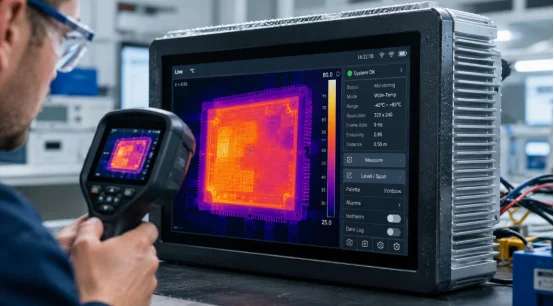
Depending on the project, validation may include powered high- and low-temperature operation, cold start, temperature cycling, thermal shock, humidity, brightness, touch accuracy, glove input, surface water, communication stability, and electrical noise.
Ask for the test conditions, not only a “pass” statement. How long was the unit soaked? Was it powered during the test? Was the actual enclosure used? Were the final firmware and touch settings included? These details make it easier to compare suppliers and reduce risk before mass production.
Where Wide-Temperature Displays Create Business Value
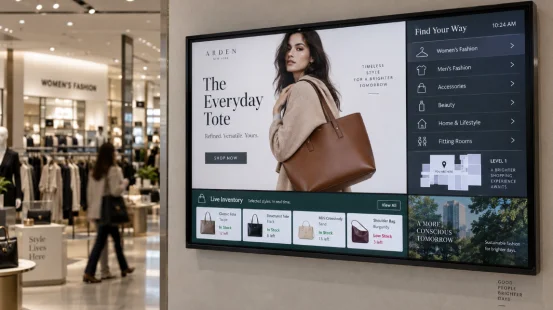
Temperature-tolerant touch displays offer value way past heavy industrial equipment. In retail and hospitality, they run self-service kiosks, digital ordering, and wayfinding. Inside service halls, these screens let visitors easily check in or finish forms. Cold storage and logistics teams rely on them to track inventory and workflow data.
Healthcare clinics and laboratories need them too. They serve perfectly as equipment interfaces needing constant washing. Additionally, smart facilities adopt them for room booking, visitor management, and operational dashboards.
Ultimately, the right choice isn’t necessarily the toughest option. Instead, find a unit matching your actual setting, user experience, compliance, software, and budget goals. Simply avoid unnecessary over-specification.
How to Evaluate a Display Supplier
For B2B buyers, long-term cooperation is as important as the first sample. A capable supplier should be able to discuss more than screen size and price.
Look for support in hardware customization, appearance design, interface selection, logo and packaging, software integration, sample development, testing, quality control, and production planning. Also confirm how component changes are managed, how quality is checked between batches, and what technical support is available during rollout.
This is especially important for branded products, multi-location deployments, and projects that need both hardware and software to work as one solution.
From Requirement to Mass Production with YIAISIGN
YIAISIGN provides customizable smart display products for retail, offices, healthcare, service halls, and factory-related applications. Its product range includes Android all-in-one displays, digital signage, advertising displays, portable monitors, touch-screen products, and other smart display formats.
For business projects, YIAISIGN can support hardware and software ODM/OEM requirements, including product appearance, interfaces, branding, packaging, system integration, sampling, testing, and production quality control. This allows buyers to discuss the display, enclosure, software experience, and supply plan within one project rather than managing each part separately.
When contacting a supplier, share the application, screen size, temperature range, operating system, touch requirements, installation method, expected volume, and target delivery date. A clear brief usually leads to a faster recommendation, a more accurate quotation, and a sample that is closer to the final product.
FAQ
What temperature range should I request?
Choose the range based on the actual internal temperature of the device, not only the outdoor weather. Confirm operating, storage, and cold-start limits for the complete product.
Can a touch sensor rated to 85°C guarantee the whole display?
No. The LCD, backlight, adhesives, controller, power design, and enclosure must also support the same conditions.
Why does a display lag in the cold?
Chilly conditions stiffen liquid-crystal movement. They alter touch thresholds too. This causes delayed images, ghosting, or sluggish start-ups.
What to prepare before requesting a quote?
Detail your use scenario, temperature range, size, and brightness. Note the touch method, operating system, ports, and mounting. Include customization needs, order quantity, and schedule.