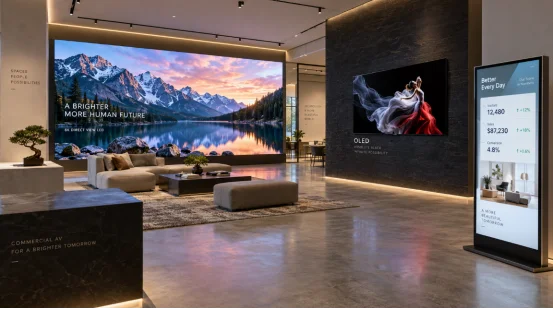
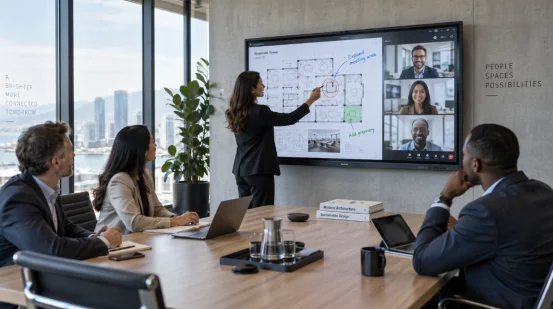
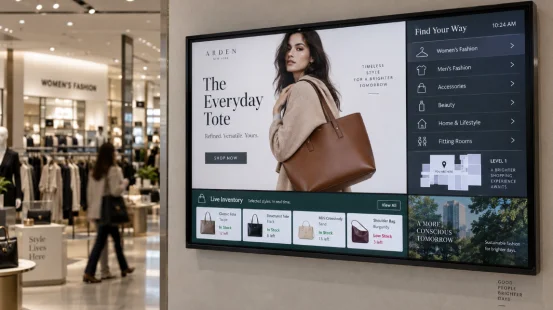
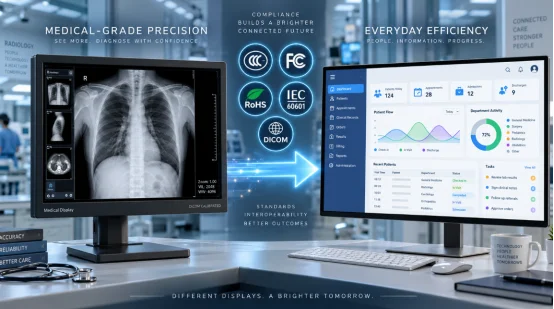
A screen in a sunlit shop window has a different job from one beside a hotel lift. That detail drives the LCD vs. LED vs. OLED decision. Your choice affects readability, static-content life, installation, power use, and service cost.
Before reviewing commercial display products, define the location, daily operating time, and viewing distance.
What Do LCD, LED, and OLED Actually Mean?
These labels describe how a display forms and lights an image. The term LED causes the most confusion because suppliers use it for two distinct systems.
LCD Display
An LCD display uses liquid crystals to control a separate backlight. Color filters form the red, green, and blue subpixels. Most current commercial LCD display units use LEDs for that backlight. Liquid crystals still form the image.
LED Display
An LED display may mean an LED-backlit LCD used in menu boards, kiosks, and meeting-room screens. It may also mean Direct View LED. Here, red, green, and blue diodes emit light at the viewing surface. Modules join into large screens without LCD bezel lines.
OLED Display
An OLED display uses organic light-emitting pixels. Each pixel creates its own light and can switch off for black content. This produces deep blacks, strong contrast, and slim panels. Static logos and repeated layouts can age some pixels faster, creating image retention or permanent burn-in.
How Does Each Commercial Display Technology Compare?
Start with the operating conditions. A specification sheet can look impressive while missing the one figure that matters at your site, such as full-screen brightness beside a west-facing window.
|
Factor |
LCD with LED Backlight |
Direct View LED |
OLED |
|---|---|---|---|
|
Light source |
Separate LED backlight |
RGB diodes at the surface |
Self-emitting organic pixels |
|
Strong point |
Predictable cost and sharp close-range text |
High brightness and modular scale |
Deep blacks and high contrast |
|
Typical setting |
Indoor signage, kiosks, meeting rooms |
Outdoor boards, atriums, stages |
Curated indoor exhibits |
|
Static content |
Suits repeated menus and dashboards |
Suits long schedules with content care |
Needs active burn-in controls |
|
Main design check |
Glare, backlight uniformity, service life |
Pixel pitch, viewing distance, module access |
Image retention, brightness, content mix |
Brightness and Ambient Light
Brightness should match measured ambient light. A window display needs extra headroom and glare control. Outdoor Direct View LED can exceed 5,000 nits in products designed for daylight. Ask for delivery brightness, dimming behavior, and thermal limits. Display brightness for retail changes by position, so a shaded aisle and glass storefront need separate specifications.
Contrast, Black Level, and Color
OLED gives each pixel direct control, so black areas can stay black beside bright details. LCD black level depends on the backlight and panel. Local dimming can improve it. Close viewers may see a Direct View LED’s pixel structure when the pitch is too wide.
Viewing Distance and Pixel Pitch
Commercial display viewing distance shapes practical resolution. LCD and OLED support fine text at close range. Direct View LED uses pixel pitch, measured from one pixel center to the next. A smaller pitch supports closer viewing and raises module cost. Test the real content from the nearest regular viewing point.
Lifespan, Burn-In, and Daily Use
LED-backlit LCD handles static content such as schedules and logos. Direct View LED supports long schedules and module-level service. OLED burn-in risk rises when bright elements stay fixed. Pixel shifting, varied playlists, lower brightness, and rest periods can reduce that risk. Organic material still ages.
Which Display Fits Your Commercial Application?
Match the screen to the task before comparing purchase prices. LCD vs LED for digital signage often comes down to viewing distance and ambient light. OLED enters the shortlist when close-range visual quality carries more weight than static-content duty.
Retail, Hospitality, and Corporate Interiors
An LED-backlit LCD suits indoor digital signage such as menus, reception boards, and interactive counters. It gives sharp close-range text in portrait or horizontal layouts. A designer boutique may use OLED for dark artwork or product video when the playlist moves and fixed marks rotate. Compare digital signage display formats with the wall space, ports, touch needs, and mounting plan.
Outdoor Advertising and Large Venues
An outdoor LED screen using Direct View LED fits roadside signs, transport hubs, stadiums, and large atriums. Modular cabinets support broad surfaces and front or rear service access. Request pixel pitch, calibrated brightness, ingress protection, cooling, spares, and structural requirements.
Control Rooms, Menus, and 24/7 Information Boards
A commercial LCD display suits static dashboards, price boards, and information screens. Ask how brightness changes during extended use and how the player recovers after power or network loss. For tiled LCD walls, add bezel width and panel access to the drawing. A blocked service door becomes expensive later.
What Should You Check Before Requesting a Quote?
A useful quote ties the panel to a real duty cycle. Give each supplier the same content, room conditions, installation drawing, and acceptance tests.
Build a Site and Content Brief
Record the environment, operating hours, ambient light, nearest viewing distance, orientation, and static-content time. Add source resolution, media format, touch, network method, and mounting limits. For OLED, define logo movement. For Direct View LED, state the closest viewer distance for pixel-pitch selection.
Compare Total Project Cost
The total cost of ownership for digital signage includes mounting, control hardware, energy, content management, cleaning, spares, and labor. Request separate warranty terms for the panel, electronics, and LED modules. Ask whether replacement parts keep the same optical characteristics; a mismatched tile can spoil a large screen.
Approve a Working Sample
Run the actual playlist for several hours at target brightness. Check small text, skin tones, dark scenes, glare, fan noise, touch response, and vent heat. Keep the approved settings and sample record for production inspection. This test catches issues that brochures miss.

How Can a Display Partner Turn the Comparison into a Buildable Product?
Once the technology is chosen, panel integration determines how it performs in daily use. YIAISIGN develops smart displays, digital signage, Android all-in-one units, digital art frames, and portable monitors. Its OEM and ODM work can align screen size, brightness, touch, ports, operating system, enclosure, and firmware with a defined setting. That range matters when one rollout includes a close-view counter screen and a larger public display.
For an LCD vs. LED vs. OLED project, provide the content loop, duty cycle, viewing zone, and installation drawing. The engineering review can cover panel type, thermal behavior, interface compatibility, mounting points, and sample tests. The resulting specification reflects measurable site requirements.
FAQ
Q1: Is an LED display the same as an LCD display?
A: Many indoor LED displays are LCD panels with LED backlights. Direct View LED is a separate self-emitting system made from RGB diodes.
Q2: Which technology suits 24/7 digital signage?
A: LED-backlit LCD and Direct View LED commonly serve projects rated for 24/7 operation. Match brightness, cooling, and service access to the site.
Q3: Can an OLED display show a fixed menu all day?
A: It can, though repeated bright elements raise image-retention and burn-in risk. A moving layout, lower output, and varied content reduce pixel wear.
Q4: What matters most in LCD vs. LED vs. OLED for outdoor use?
A: Daylight brightness, weather protection, cooling, viewing distance, structural load, and maintenance access guide the choice. Direct View LED serves many large outdoor installations.
Q5: How should you compare supplier quotes?
A: Use one site brief and request panel type, brightness, pixel pitch or resolution, operating hours, warranty, spares, mounting, software, calibration, and acceptance tests as line items.