
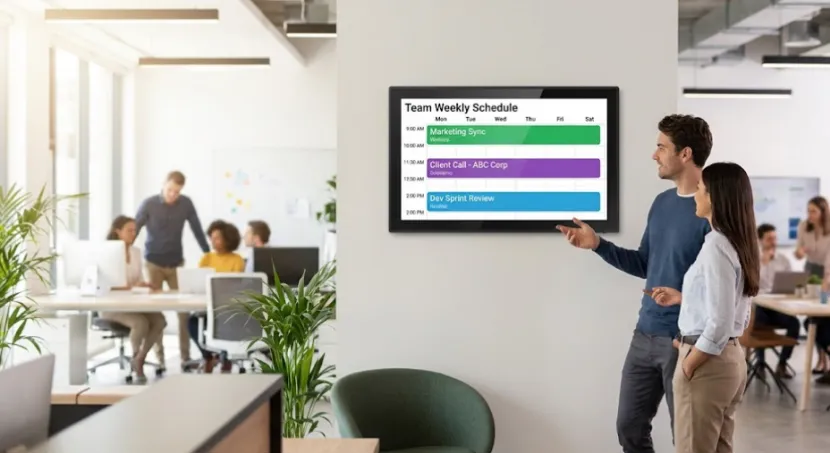
If you are comparing suppliers, YIAISIGN is worth a close look because it is not just listing one calendar screen and calling it a day. The company presents itself as a smart display manufacturer with more than 15 years of experience, strong R&D, four production lines, and daily output of 3,000 units. Its catalog covers digital photo frames, digital day clocks, digital signage, all in one machines, and smart calendar displays, plus OEM and ODM support for hardware, software, and supply. That matters in B2B buying. A vendor with a broader display background usually has a better grip on production, customization, and long term supply than a seller built around one trendy item. Its 15.6-inch touch screen calendar is positioned with Wi Fi, IPS HD display, AI chip, photo display features, and 32GB storage, which makes it easier to discuss as a real office tool instead of a novelty screen.
What Is a Digital Wall Calendar for Offices?
A digital wall calendar for offices is not just a nicer looking planner. It is a shared screen that turns scattered scheduling data into something people can actually see when they walk past it. That simple shift matters more than many buyers expect.
Why It Feels Different from a Traditional Office Wall Calendar
A paper office wall calendar still works for very small teams, but it gets messy fast. Someone changes a client visit, someone else moves a meeting, and now the board is wrong by 10:15 a.m. A digital screen cuts that lag. It also gives you a cleaner workplace calendar display for reception areas, shared desks, and meeting zones where people need quick answers, not a pile of sticky notes.
Why Do Teams Still Miss Schedule Changes?
Most offices do not have a calendar problem. They have a visibility problem. The data exists, but it is trapped in too many places, and nobody sees the full picture at the right moment.
Schedules Live in Too Many Places
One person checks email, another checks chat, the front desk has a printed list, and operations keeps a spreadsheet open all day. That is how a missed handoff starts. A clear office schedule display reduces that friction because the key information is always in view. It does not solve every process gap, obviously, but it removes a very common one.
Visibility Is the Real Problem
When you cannot see who is free, who is booked, or what changed, even a simple Tuesday becomes annoying. A good screen can double as a team availability display, which is useful for rotating staff, client facing teams, and hybrid schedules. The knowledge base also points to public space displays, where calendars and clocks show time, date, announcements, and event schedules in reception or shared areas. That makes the device more practical than a single use tool.
Where Does a Digital Calendar for Office Wall Use Help Most?
The best thing about this category is that it is not limited to one department. You can start with one use case and expand later. That is usually the safer buying path.
Front Desks and Shared Work Areas
A digital calendar for office wall placement works well near reception, admin zones, and team hubs. In the uploaded materials, these products are described for work and meeting management in office environments and for public space displays that show current time, date, announcements, and event schedules. That lines up neatly with real office pain points: fewer repeated questions, better handoffs, and less confusion around visitors and room use.
Clinics, Schools, and Service Counters
The same logic applies outside standard offices. The knowledge base lists healthcare scheduling for patient appointments and doctor schedules, plus educational use for class timetables and key events. So a small office scheduling display can also fit clinics, training centers, service halls, and front counter operations where staff need at a glance visibility all day.
What Should You Look for in a Digital Scheduling Screen for Office Use?
Once you know the use case, the buying questions get more practical. Screen size, mounting, touch response, and Wi Fi matter more than flashy marketing copy. Buyers usually figure that out after comparing three or four listings.
Screen Size and Placement
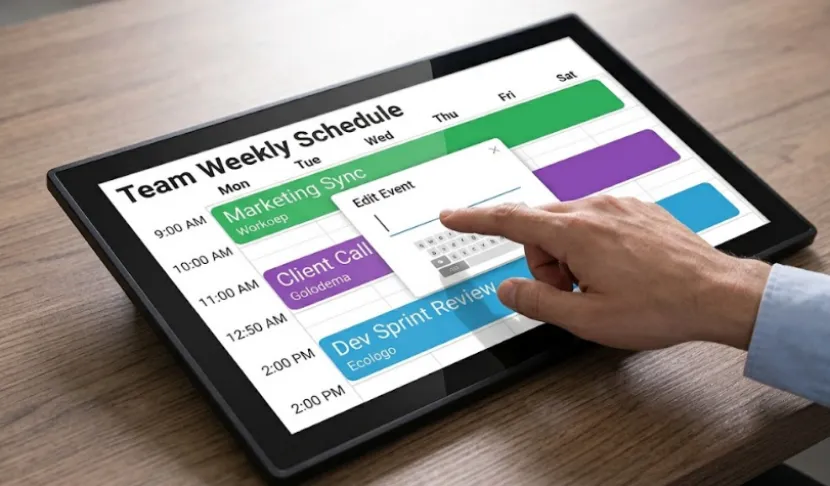
A useful office digital calendar screen from a close distance, the display should be legible and flexible enough to be mounted on a wall or desktop. A 15.6-inch display with a resolution of 1920×1080 and responsive touch for wall or desktop use is a reasonable intermediate choice for many teams. Because it is clearly visible, but does not dominate in a smaller space.Wi Fi, Touch, and Daily Usability
A strong digital scheduling screen for office use should support quick updates and simple interaction. The related 15.6-inch products in the knowledge base emphasize Wi Fi connectivity, touch controls, brightness adjustment, storage, and flexible installation. The product listing for the 15.6-inch touch screen calendar also points to Wi Fi, IPS HD display, AI chip, photo frame functions, and 32GB storage. If you want one screen to handle scheduling, reminders, and light visual content, that feature mix is pretty reasonable.
Why Does a 15.6-Inch Touch Screen Calendar for Office Use Fit Small Teams So Well?
Not every team needs a large panel. In fact, a very big screen can feel awkward in a compact office. That is one of those details buyers notice late.
It Is Visible Without Taking Over the Room
A touch screen calendar for office use in a 15.6-inch format can sit at reception, mount beside a doorway, or live on a shared counter without getting in the way. The wider product materials also stress full HD viewing, flexible installation, and responsive touch across several 15.6-inch display products, which supports the case for this size in everyday B2B settings.
It Can Do More Than One Job
The best digital wall calendar is rarely just a calendar. It often becomes a team schedule display, a reminder board, and a light info screen for visitors or staff. If you want to compare adjacent display categories before deciding, the broader product range shows how calendar screens sit alongside day clocks, signage, and other commercial displays. That helps when you are trying to match one device to a real workflow, not just buy a screen with a nice photo.
FAQ
Q1: What is a digital wall calendar for offices?
A: It is a shared display that shows meetings, appointments, deadlines, reminders, and daily schedule changes in one visible place.
Q2: How does a team schedule display help daily work?
A: A team schedule display cuts down on repeated questions, missed changes, and double handling because staff can see the latest plan at a glance.
Q3: Is an office wall calendar still useful if your team already uses online calendars?
A: Yes. Online calendars store the data, but a visible screen makes that data usable in the room where people are actually working.
Q4: Where should you place a digital calendar for office wall use?
A: Reception desks, meeting room entrances, shared team spaces, clinics, and training areas are common starting points.
Q5: What makes a good touch screen calendar for office use?
A: Look for readable size, stable Wi Fi, responsive touch, flexible wall or desk placement, and enough storage for daily content and updates.


