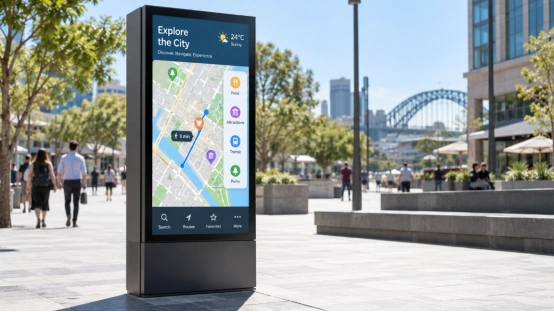
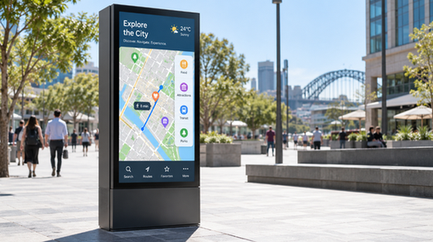
Place a screen next to a sunny window or an outdoor kiosk. Normal indoor brightness makes the image look gray. It becomes tough to read. Your target relies on surrounding light and viewing distance. Reflections, content size, and operating hours matter too.
Practically, 1,000 to 1,500 nits handles most shaded spots. It works well for heavy-glare windows. However, direct sunlight usually demands 2,000 nits or higher. Anything past 5,000 nits fits massive outdoor LED setups. Nits measure candelas per square meter, the standard unit for screen luminance.
What Brightness Level Works for Direct Sunlight?
You won’t find one perfect number for every location.
A sunny south-facing window at noon hits a display hard. This differs completely from a shaded doorway. Treat these ranges as rough estimates. Always test the screen using your actual media.
Indoor and Window-Facing Screens
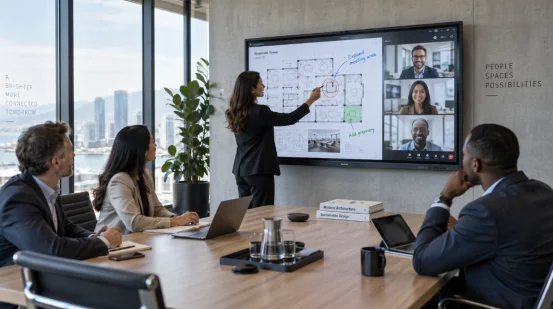
Offices, classrooms, and store aisles generally need 250 to 450 nits. This baseline makes reading easy. However, monitors near windows might require 500 to 700 nits. This matters most when showing dark letters on a light backdrop. Matte finishes help greatly here. Paired with auto-dimming, they make that exact luminance much gentler to view.
Shaded Outdoor Locations
Covered paths and outdoor kiosks typically run between 700 and 1,200 nits. A roof successfully blocks direct sun. Still, the surrounding area remains incredibly bright. Check the real delivery brightness and heat dissipation limits. A huge spec-sheet number means absolutely nothing if the unit dims once it gets hot.
Open Direct Sunlight
For open outdoor use, plan around 1,500 to 3,000 nits, then adjust for the site. A small information panel under midday sun may work at the lower end with anti-glare cover and large text. Roadside signs, shop windows, and south-facing kiosks often need more headroom. An outdoor LED screen using Direct View LED can exceed 5,000 nits, with sensor-based and scheduled dimming.
How Do Nits, Glare, and Contrast Affect Readability?
Brightness is one part of the viewing result. Reflections can cover the image, and a bright backlight cannot remove a mirror-like reflection. Check the optical path from the viewer’s eyes to the content.
Nits Describe Screen Luminance
A nit tells you how much light the screen emits per square meter. It does not describe black level, color accuracy, viewing angle, or text sharpness. An LCD display with LED backlight can deliver clear menus at close range, while poor panel control can produce uneven white areas or washed colors.
Glare Control Changes the Required Number
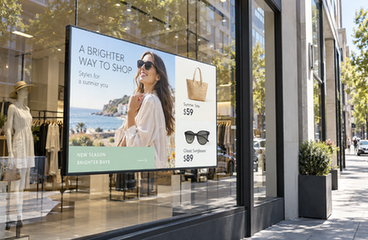
Anti-glare glass, optical bonding, a recessed bezel, and a suitable viewing angle reduce reflected light. These details can lower the brightness target for a window display. Glossy cover glass can preserve deep color, yet it reflects lamps, sky, and people. Review a sample beside the window under daylight.
Contrast and Content Design Matter
Large type, strong color separation, and short messages remain readable at a lower luminance than thin gray text. For digital signage display content, keep critical information away from bright white backgrounds when reflections are strong. A content loop with dark scenes can make the screen appear dimmer beside daylight.
Which Display Technology Works in Bright Outdoor Conditions?
The best screen type depends on size, distance, content, and service access. LCD vs. LED for digital signage also depends on viewing distance and daylight. Comparing LCD vs. LED vs. OLED only by peak brightness can lead to a poor fit.
LCD Display for Close-Range Information
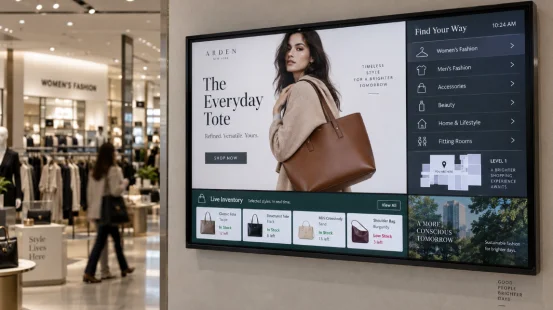
An LED-backlit LCD suits menus, ticketing, reception boards, and compact kiosks. It produces fine text at short commercial display viewing distance and supports portrait or horizontal layouts. For a commercial LCD display near a window, request full-screen luminance, uniformity, glare treatment, and thermal limits. A quoted peak value may describe a small test window; request full-panel data.
Direct View LED for Large Daylight Surfaces
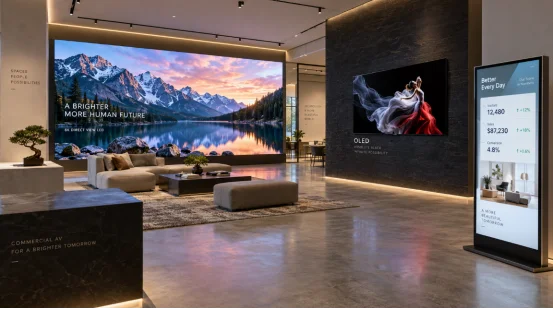
Direct View LED uses red, green, and blue diodes at the viewing surface. It scales across large façades, plazas, stages, and transport areas. Pixel pitch sets the practical viewing distance: a smaller pitch supports closer viewers and raises module cost. Ask for calibrated brightness, daylight dimming, ingress protection, cooling, spare modules, and front or rear service access.
OLED for Controlled, Close Viewing
OLED creates light at each pixel and can show deep blacks beside bright details. It fits curated indoor displays and moving visual content. Fixed logos, menus, or dashboards raise OLED burn-in risk over time. Pixel shifting, varied playlists, lower output, and rest periods help manage pixel wear. Direct sunlight usually pushes the design toward a brighter LCD or Direct View LED system.
How Should You Choose Brightness for a Real Installation?
Start with the site. Record the light conditions and the job the screen must perform, then compare samples against the same test.
Record Light, Distance, and Operating Hours
Measure illuminance at the screen during the brightest period. Note window direction, shade, reflections, viewer distance, mounting angle, reading time, daily hours, temperature, dust, rain, and cleaning access. These details affect the brightness target and cooling design.
Test the Actual Content
Run the real menu, map, product photo, or safety message for several hours. Check small text, dark scenes, glare, fan noise, surface temperature, and automatic dimming from the nearest and farthest viewing points. A short pilot can reveal brightness drop, reflections, or an awkward service door before a larger order.
Review Total Project Cost
The total cost of ownership for digital signage includes the display, mounting, player, energy, content software, cleaning, spare parts, calibration, and labor. Higher brightness can raise power use and thermal load. Ask for brightness at delivery, expected dimming behavior, warranty coverage, replacement-part compatibility, and acceptance limits for luminance uniformity and dead pixels.
How Can a Display Partner Turn Brightness Requirements into a Buildable Screen?
Once the site brief is clear, the display needs a specification that production teams can test. YIAISIGN works with smart displays, digital signage, Android all-in-one units, digital art frames, and portable monitors. Its OEM and ODM process can align panel type, luminance target, touch layer, ports, operating system, enclosure, firmware, and mounting points with the installation.
For a sunlight-readable project, provide the content loop, duty cycle, viewing zone, window or outdoor photos, and temperature range. The engineering review can define delivery brightness, dimming behavior, optical treatment, thermal checks, and sample approval. You can also compare the configurable display product range against the screen size and service plan before requesting a pilot. The useful result is a testable specification tied to the place where people will read the screen.
FAQ
Q1: How many nits do you need for direct sunlight?
A: Most exposed outdoor screens require 1,500 to 3,000 nits. Intense all-day sun might demand 3,000 or higher. Meanwhile, massive Direct View LED setups easily push past 5,000 nits.
Q2: Is 1,000 nits bright enough for outdoor use?
A: It works fine for shaded paths or roofed kiosks. However, direct midday sun creates heavy reflections. This issue usually demands a much higher rating.
Q3: Are more nits always better?
A: Extra luminance fights off daylight. But it also drives up energy costs, heat, and glare. You must balance raw brightness with optical treatments, auto-dimming, and proper cooling.
Q4: Which display fits a sunny storefront?
A: An LED-backlit LCD hitting 1,000 to 2,000 nits handles close-up text beautifully. Just ensure you control window reflections. For bigger walls, Direct View LED works much better.
Q5: What should you request from a supplier?
A: Ask about actual delivery brightness, full-screen uniformity, and dimming habits. Check safe operating temperatures and anti-glare specs. Finally, always demand a physical sample running your own media.