Why Are One-Cable Workstations Becoming a New Office Trend?
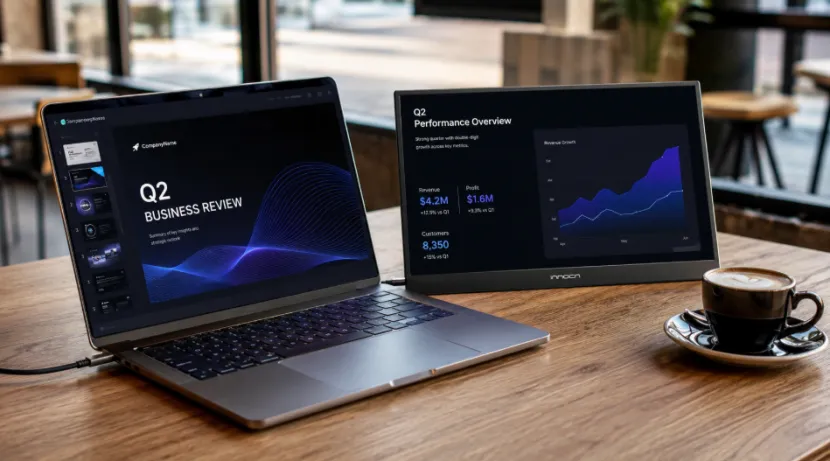
A one-cable workstation is a very basic idea. Yet, it fixes a big daily headache. You just open your laptop. Then, you plug in a single cord. Suddenly, your second screen wakes up. You do not have to hunt for a missing adapter. You avoid crawling under small desks to plug in a heavy power brick. This tiny shift saves precious minutes every single morning.
Hybrid Work Needs a Cleaner Desk
Maybe you work at home, in an office, or at a hotel. Sometimes you sit in classrooms or meeting rooms. Because you move around so much, a normal, heavy desk screen does not fit your life anymore.
A USB-C portable monitor adds extra viewing space. Better yet, it keeps your backpack from turning into a messy box of wires. You can leave your emails, charts, or video chats open on one side. This leaves your main laptop screen totally clear for your main task.
Laptop Screens Can Feel Too Small
Having a laptop second screen is more than a cool toy. It really helps you out. You can look at two files side by side. You can check facts or write notes while talking to someone on a call.
When your laptop screen is tiny, you have to click back and forth between windows all day long. Doing that for hours makes your eyes and brain tired. A portable external monitor fixes this. It makes your work flow much smoother and way less stressful.
What Makes USB-C Portable Monitors Different?
The major change here is not just the glass display. It is how you plug the screen in. A USB-C monitor really cuts down on messy wires. Why? Because just one single cord carries both the video picture and the power. This matters a lot. Maybe your desk is tiny. Maybe your big meeting starts in two minutes. Or maybe you just hate looking at a cluttered desk.
USB-C Connectivity Cuts Extra Gear
USB-C connectivity is super popular right now. It fits right into today’s mobile office setup perfectly. A USB-C external monitor links up easily with most brand-new laptops and some phones. At the same time, HDMI connectivity is still very important.
You need it for older computers, gaming machines, and standard meeting room tools. Because of this, a portable monitor with USB-C and HDMI makes shoppers feel much safer about buying it.
Plug-and-Play Setup Saves Time
A plug-and-play portable monitor lets you skip tough setups. Look at the 15.6-inch portable monitor by YIAISIGN. It takes both USB-C and HDMI. Better yet, there is no software required. The screen looks clear from different sides. It comes with a neat smart cover stand. It also uses very little power. This mix makes sense. You just plug it in. Next, open the stand. Then, begin your job. It is quick and really simple.
How Do USB-C Portable Monitors Improve Business Productivity?
Office workers do not buy a portable monitor just to look flashy. They buy one because they are busy and have too many web tabs open at once. A portable monitor for business must make daily jobs easier. It should never cause new tech headaches.
A Second Screen Keeps Work Visible
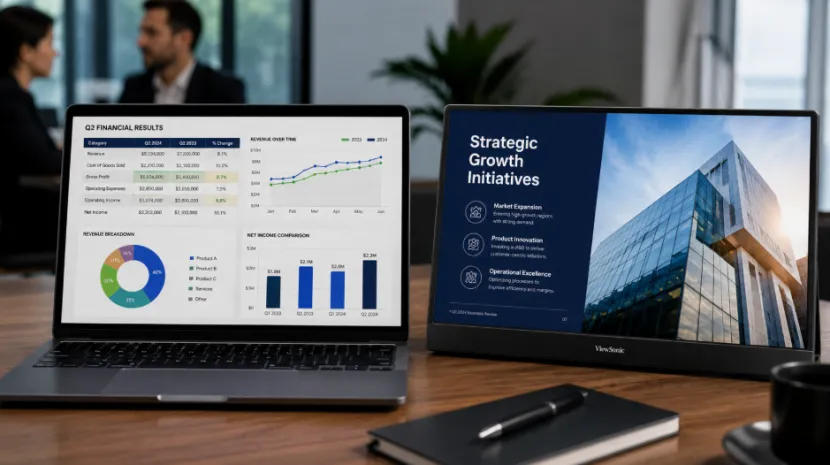
A portable monitor for work lets you put a large chart on one side and a typed paper on the other. Sales folks can show slides to a buyer while hiding secret notes on their own screen. Number crunchers can look at math without making the text tiny. Are you visiting a buyer? A portable monitor for presentations turns a small coffee shop table into a fast, pro-looking stage.
Meeting Rooms Become Easier
Tech issues in a meeting room are awful. They always seem to happen when everyone is watching you. Maybe the big screen fails. Perhaps the special adapter is gone. Or maybe the wall plug is just too far to reach. A portable monitor with HDMI and USB-C offers more ways to link up. This means you will face fewer delays when getting ready to speak.
Why Do Students, Remote Workers, and Engineers Use Portable Second Monitors?
A portable second monitor is a great tool for all kinds of people. The main reason is clear. Extra screen space stops you from losing focus. You can keep your main job right in front of your eyes. Then, you can drag your extra notes over to the side.
Students Need Space for Study
A portable monitor for students makes internet classes, homework, and note-taking a breeze. You can watch a teacher talk on the left screen. At the same time, you can type your homework on the right.
Whether you are at a dorm room workstation or a quiet library desk, it helps. A lightweight portable monitor takes up way less room than a big, heavy TV-style screen.
Engineers Need Clearer Workflows
A portable monitor for engineers is a smart pick too. You can read thick manuals, look at error lists, view blueprints, or test apps right next to your main screen. When setting up a coding workstation, an external screen for laptop keeps your typed code and your guides showing at the exact same time.
Also, when working outside in the field, carrying less stuff is always a win. No one wants to pack three tangled cords just to run a quick test.
What Should Buyers Look for in a USB-C Portable Monitor?
Before you spend your money, you must check more than the price tag. A portable display for laptop use requires the correct screen size, the right plug holes, a good stand, and smart battery habits. These little details matter greatly. They decide if the tool is actually helpful, or if it will just gather dust in a closet.
Screen, Ports, and Real Use Matter
A Full HD portable monitor is mostly perfect for reading papers, browsing websites, chatting on video, and watching fun videos. A 15.6-inch screen is a very useful size. Why? It matches the size of most normal laptops. Plus, it easily slides right into a normal travel bag. Do you want a portable laptop monitor for both hard work and fun games? If so, seek out a Full HD display with a slim and lightweight design. Make sure it has wide viewing angles and plenty of flexible connectivity options.
YIAISIGN Fits Practical Mobile Workstations
YIAISIGN is a top-notch digital display screen maker. They have over 15 years of solid background in building screens. Their list of items includes portable monitors, digital signs, smart display gear, and ODM/OEM display solutions. Some buyers need a very steady portable monitor supplier. For them, this brand offers more than just one good screen.
The real magic is in their hardware planning, factory help, custom changes, and delivery care. This is a huge deal for big brands, sellers, school projects, and office buyers. These folks care deeply about buying again, getting the same good quality, nice boxes, custom logos, and helpful talking after the sale.
The YIAISIGN portable monitor family meets these exact needs. It gives you a compact design, handy USB-C and HDMI connectivity, an easy plug-and-play setup, and popular 15.6-inch screen sizes.
Conclusion
A portable laptop display is quickly becoming a normal piece of the mobile productivity setup puzzle. It cuts down on ugly wire messes. It gives you more room to see your work.
Plus, it makes building a small desk space possible anywhere you go. Think about busy office workers, young students, clever engineers, and work-from-home folks. For them, the best USB-C portable monitor for mobile office setup is about more than just a shiny screen. It needs to be light to carry around. It has to link up fast. And it must work well with all sorts of different devices.
FAQ
Q1: How is the compatibility and power supply of the USB-C portable monitor?
A: Not all laptops can be directly connected. It is necessary to confirm whether the USB-C interface of the computer supports video output. If not, an HDMI connection can be used; Most models can be through the USB – C line direct computer power supply, no additional external power supply, use lighter out.
Q2: What is the purpose of the portable monitor equipped with an HDMI interface?
A: The HDMI interface is very practical. It can not only be used on old laptops and desktop computers, but also can be used on meeting devices and game devices.
Q3: Is a YIAISIGN 15.6-inch plug-and-play portable monitor suitable for business travel?
A: It is very suitable. The screen size is enough to meet the needs of office reading documents, reports, presentations and PPT, and the body is thin and easy to store; and it can be directly connected to the computer for power supply without the need to install any software or drivers. It is efficient and convenient for use during business trips or business meetings.