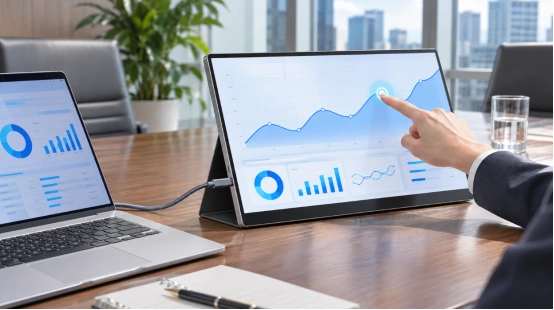
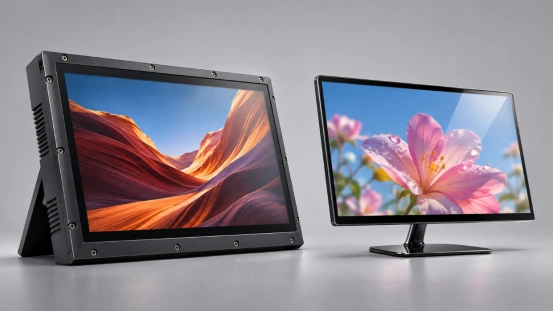
A portrait screen can fit a narrow shop column and still miss its job. The promotion may use horizontal artwork with tiny text, the frame may cover pixels, or a power cable may hang below the installation. Shoppers notice those details from arm’s length.
Bulk portrait digital displays need one brief for the screen, frame, mounting, content, network, packaging, and installation. Retail teams can repeat the approved format across every store.

Why Does Portrait Orientation Work in Retail Stores?
Portrait layouts suit fashion images, product bottles, menu panels, narrow walls, and columns.
Match the Screen to Retail Sightlines
Start with viewing distance and customer movement. Checkout screens can carry a short offer and QR code. Entrance displays need larger type for people walking past. At shelf level, use a short message that supports the nearby product.
Portrait digital signage built from a 1920×1080 panel creates a 1080×1920 content area when mounted vertically. Build the artwork in that orientation so text, faces, and prices stay sharp.
Choose the Right Store Zone
Map each planned zone. Record wall width, lighting, power access, network signal, viewing angle, and mounting surface. These details decide screen size and frame depth.
Give retail store advertising displays one job in each zone. Entrances can introduce seasonal campaigns, aisle screens can explain products, and checkout content can promote add-on items or membership.
Which Display Specifications Should You Define?
A bulk quotation should define brightness, orientation, playback, operating time, and remote control alongside screen size.
Screen Size, Resolution, and Brightness
Specify active size, native resolution, portrait approval, viewing angle, brightness, contrast, glare, and pixel criteria. A 21.5-inch or 32-inch format can suit counters and wall features. Larger suspended screens address open areas and long sightlines.
Test brightness in the store lighting. Ceiling spots and windows can wash out glossy content. Record the approved menu setting because brightness affects heat and power use.
Operating Time, Connectivity, and Playback
State daily operating hours, schedules, media formats, local storage, Wi-Fi behavior, and remote-update method. Test power recovery and automatic playlist restart.
For overhead locations, a 55-inch hanging digital signage display shows how hanging installation can save floor space while supporting multimedia, remote updates, and continuous operation. Approve the order’s duty cycle and installation plan separately.
How Should You Specify a Custom Frame?
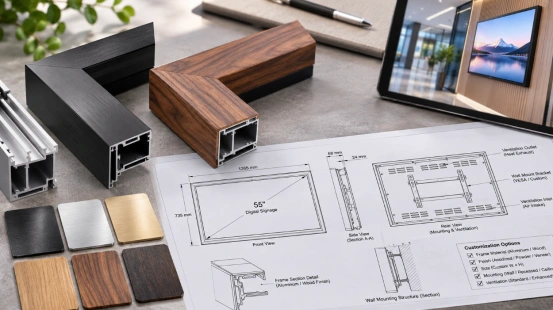
Custom frame digital signage should fit the shop interior and remain serviceable. Its drawing must show the visible opening, panel position, dimensions, mounts, cable path, and ventilation.
Frame Material, Profile, and Finish
Choose wood, plastic, metal, or mixed construction for the design and load. Record frame width, depth, corners, texture, color, logo treatment, and bezel overlap. A small mismatch can hide content or leave an uneven black edge. Fussy, yes. Customers still see it first.
Custom digital display frames need physical color and texture samples. Digital images do not reproduce every finish accurately under store lighting.
Mounting, Ventilation, and Service Access
The frame needs a load-rated plan for wall, ceiling, or freestanding installation. Keep vents open and leave access to switches, ports, storage, and mounting screws. A removable rear panel can shorten cable or media-unit replacement.
Show power and network routes on the drawing. Confirm cable direction, plug clearance, strain relief, and installer access. Clean retail work often comes down to this unglamorous part.
How Should You Plan Content for Multiple Stores?
Retail digital signage solutions need defined asset sizes, schedules, user roles, fallback files, and update confirmation.
Build Portrait Assets for the Viewing Distance
Prepare content at the native portrait resolution. Keep prices and calls to action inside the frame’s safe area. Use short loops and readable type. Test final files on the actual screen and at the planned viewing distance.
Create templates for launches, member offers, directions, and timed promotions. Templates keep logo position, type size, and legal text consistent.
Set Remote Updates and Offline Playback
Wholesale digital signage projects need device groups and defined publishing roles. Keep an approved playlist in local storage for network interruptions.
Use the digital signage product range to compare hanging, floor-standing, and custom formats. Match the content workflow to the device and store team.
What Should Wholesale Buyers Test before Rollout?
Bulk portrait digital displays need consistent physical, functional, and content checks across production lots. Written pass criteria guide inspection.
Approve a Golden Sample
Sign the final display and frame sample. Attach specifications, drawings, finish reference, software version, playlist behavior, accessories, labels, and packaging. Keep references with the buyer and factory.
Test power cycling, scheduled startup, portrait playback, Wi-Fi reconnection, offline files, operating time, buttons, ports, and frame temperature. Confirm that the frame leaves active content visible.
Run a Store Pilot and Pre-Shipment Inspection
Install pilot units in bright, dark, and busy zones. Check glare, network recovery, cables, heat, mounting stability, and staff access. Several days of shop activity can expose issues hidden on a test bench.
Sample different cartons and production periods before shipment. Check orientation, finish, logo, playback, updates, accessories, labels, and protective packing. Record approved changes before release.
How Can Product-Based Customization Support a Retail Project?
YIAISIGN has display platforms that fit this sourcing brief. Its 21.5-inch and 32-inch art frames use 1920×1080 screens, wood-and-plastic frames, Wi-Fi control, remote operation, and horizontal or vertical placement. The product information also lists anti-glare viewing and continuous operation for these frame formats. Hanging signage supports images, video, real-time updates, and remote content management.
You can review the broader display product range and send the store zones, screen sizes, portrait artwork, frame drawing, finish reference, mounting method, operating schedule, content workflow, packaging limits, and order forecast. YIAISIGN can use that brief to confirm the base platform and the custom items that require samples or tooling.
FAQ
Q1: What Screen Size Works Best for a Portrait Retail Display?
A: Match the size to viewing distance, wall width, content, and traffic flow. A 21.5-inch or 32-inch screen suits counters and narrow wall features, while larger hanging displays suit open areas and longer sightlines.
Q2: Can the Frame Match a Store’s Interior Design?
A: Yes. A custom brief can define material, profile, color, texture, logo, visible opening, and mounting details. Approve a physical finish sample under store lighting before production.
Q3: Can Multiple Stores Update Content Remotely?
A: A suitable content system can group devices, schedule campaigns, and send updates by location. Local fallback files keep approved content playing when a network connection drops.
Q4: What Affects the MOQ for a Commercial Portrait Display?
A: Screen availability, custom frame material, new tooling, surface finish, logo process, packaging, and software work affect the minimum quantity. Request separate terms for samples, pilot units, and mass production.
Q5: How Do You Keep Every Display Consistent?
A: Lock the specification, drawings, finish reference, software version, accessories, and packaging against signed golden samples. Inspect units from different production periods and require written approval for changes.