Is your desk a mess with cables and stuff? Do you keep flipping between tabs on a tiny screen at a coffee shop? Work today needs you to be fast and flexible, but small spaces can hold you back. There’s an easy fix. Portable display screens aren’t just extra space—they change how you work. They let you set up a great workspace anywhere you go.
These gadgets are awesome because they do two jobs. They cut down on desk clutter and help you work better online. Companies like YIAISIGN get this. They make portable display screens that mix easy carrying with strong performance. Their screens fit into all kinds of lives, whether you’re a traveler or just want a tidy home office.
How Do Portable Monitors Maximize Your Physical Space?
The biggest win is how they save space. Portable display screens are made to take up little room and be super flexible.
Regular monitors need lots of desk space for the screen and cables. A portable display screen is different. It’s super thin, often slimmer than a book, and weighs less than two pounds. You can slip it into your laptop bag or backpack easy. It doesn’t add bulk. When you set it up, it saves space too. Lots of models have covers that turn into stands. You don’t need extra gear to hold it up. This all-in-one style means you keep your desk free for other stuff.
Cables get better too. Normal monitors use separate power and video cords. But most portable display screens work with just one USB-C cable. This cable does power and video when hooked to the right laptop. So, your desk stays neat. When you’re done, unplug one cable and put the screen away. It’s perfect for shared spots or tables you use for work and home stuff.
Can a Second Screen Really Boost Your Productivity?
Saving space is cool, but the real magic is in your work. Extra screen space helps you work smarter, not harder.
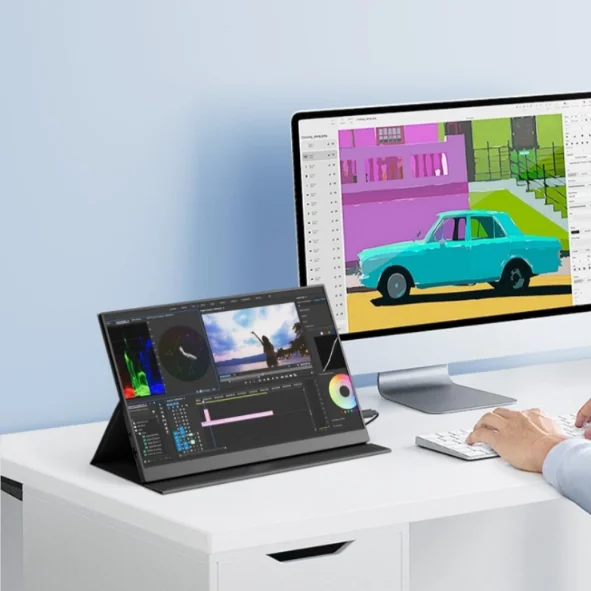
Studies say two screens can make you work 30% better or more. Why? You spend less time switching apps and more time doing your job. Picture writing a report with research on one portable display screen and your document on another. No more annoying tab-switching that breaks your focus. Coders can keep code on one screen and watch the app on the second. Designers love having tools on one portable display screen and their art on another.
This helps all kinds of jobs. People who track money can watch live data on their portable display screen while working on their main screen. Customer service folks can chat on one screen and check info on the other. The big deal is context switching—that brain-jump between tasks that slows you down. With two screens, each app gets its own spot. You stay focused and keep your work flowing.
What Makes Portable Monitors Ideal for Mobile Professionals?
They shine brightest when you’re away from a regular office. Portable display screens are built for moving around.
For travelers or people always on the go, a portable display screen turns any flat spot into a workspace. A tiny airplane tray table works better when you angle your second screen just right. Hotel rooms become great places to work on spreadsheets or slides without feeling stuck. Setting up is easy—plug in your laptop, tweak the brightness, and you’re good in seconds.
Modern portable display screens work with lots of stuff. They hook up to laptops and even phones that do desktop modes. Your phone can act like a small computer with a portable display screen. Gamers use them with stuff like the Nintendo Switch for better visuals than the built-in screen. Photographers use them as big field screens to check shots on location. This multi-use makes your purchase worth it for all parts of your digital life.
How Do You Choose the Right Portable Monitor?
With lots of choices, picking the best portable display screen depends on what you need.
Think about your main job first. If you edit photos, get a screen with great colors and wide coverage. For office work or coding, clear text and resolution matter more. Gamers need fast refresh rates and quick response times. Your budget counts too—lucky for you, there are good portable display screens at different prices.
Check the tech details. Screen size is usually 13 to 17 inches. The 15.6-inch size is popular because it’s easy to carry and use. Resolution can be Full HD (1920×1080) or 2K (2560×1440)—higher means sharper text and pictures. IPS panels give the best colors and angles. Make sure it has USB-C ports for video and power in one. Extras like touch screens, built-in speakers, or covers that work as stands might matter, depending on how you’ll use your portable display screen.
FAQ
Q1: Do portable monitors need their own power plugs?
A: Nah, lots of new ones get power right from your laptop with just one USB-C cable. No extra plug needed! But some super bright ones might work better with a separate power cord if you crank them up high.
Q2: Can I hook up a portable monitor to my phone?
A: Yup, if your phone’s USB-C port sends out video. Lots of Android phones do this. You might need a special adapter to connect different gadgets to these portable display screens.
Q3: Are portable monitors tough enough for lots of trips?
A: Totally! Most are built for moving around, with strong frames and covers to keep them safe. The covers that come with portable display screens usually protect against scratches and little bumps when you travel.
Q4: How’s the picture on portable monitors compared to big desk ones?
A: The picture’s pretty awesome, with lots of portable display screens using IPS panels and high resolutions. They might not get as bright as big desk monitors, but they still look great.
Q5: Can I use a portable monitor as my only screen?
A: You could, for simple stuff, but most folks like them better as an extra screen. Portable display screens are smaller than desk monitors, so they’re awesome for adding space, not replacing your main one.