In 2026, family scheduling becomes the daily grind of school runs, home-office meetings, after-school activities, and meal preparation. You’ve probably used paper calendars and post-it notes. dars fix that. They don’t just show what’s going on. They pull everyone together for instant talks.
If you want a smooth mix of hardware and software, Shenzhen Yijing Technology Co., Ltd. (YIAISIGN) has a strong option. This company leads in making products with more than 15 years in the field. They run four production lines in a 3,000㎡ factory. YIAISIGN creates top-notch smart screens for homes and offices. Their range covers Android all-in-one gadgets, smart digital clocks, and touchable signs. These blend useful features with nice looks. Check out their smart family calendar choices at YIAISIGN’s official website. See how smart planning can turn into a group effort.
Why Traditional Calendars No Longer Work for Modern Families
Families don’t follow one simple daily plan anymore. Kids get school work on online sites. Parents deal with mixed work setups from home and office. Grandparents might use printed notices or phone chats. In this mixed-up setup, a paper calendar feels like an old decoration. It isn’t a true helper.
Fragmented Schedules and Missed Communication?
Calendars that don’t update right away lose trust fast. One parent could set a dentist visit without knowing soccer got moved. Another might skip telling about their home work time. Paper ones and basic phone tools often miss the mark. They don’t link devices or send alerts on changes. So, this creates gaps. People miss happenings. Stress piles up at the last minute.
The Overload of Notifications and Apps?
Many homes already handle WhatsApp groups for school news, emails for bookings, and separate apps for shopping lists. A main calendar works like the home’s control center. It cuts down on brain strain. It gathers bookings, jobs, birthdays, and to-dos into one clear setup.
What Makes a Digital Family Calendar Truly Smart
Not every digital calendar works the same way. A real helpful center does more than list events. It picks up on your habits. It fits your ways. And it joins your family’s daily flow.
Real-Time Syncing Across Devices and Users?
The key is linking up. A good smart calendar refreshes at once on all connected phones, tablets, and screens. If someone shifts piano class or adds meal ideas, the whole home notices right then. You can set who edits or just views. This keeps private stuff safe. It shares what needs to be seen.
AI Assistance That Learns Family Routines?
The top ones go further than responding. They guess ahead. By looking at old patterns, these calendars suggest repeats like a “weekly store trip.” Or they spot clashes early. Some even read flyers or emails you add. They fill in new spots on their own. That’s a big help for parents with packed school days.
Visual Design That Encourages Daily Use?
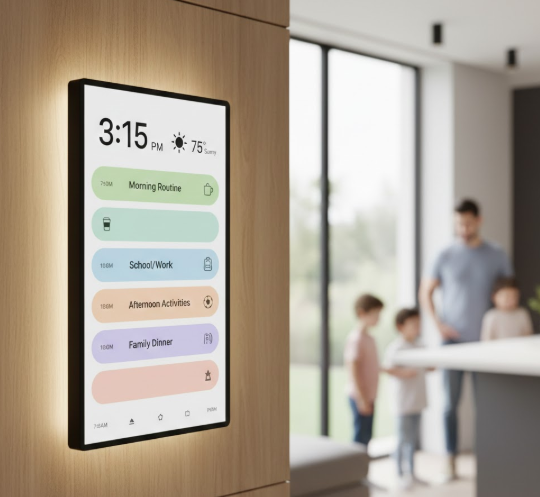
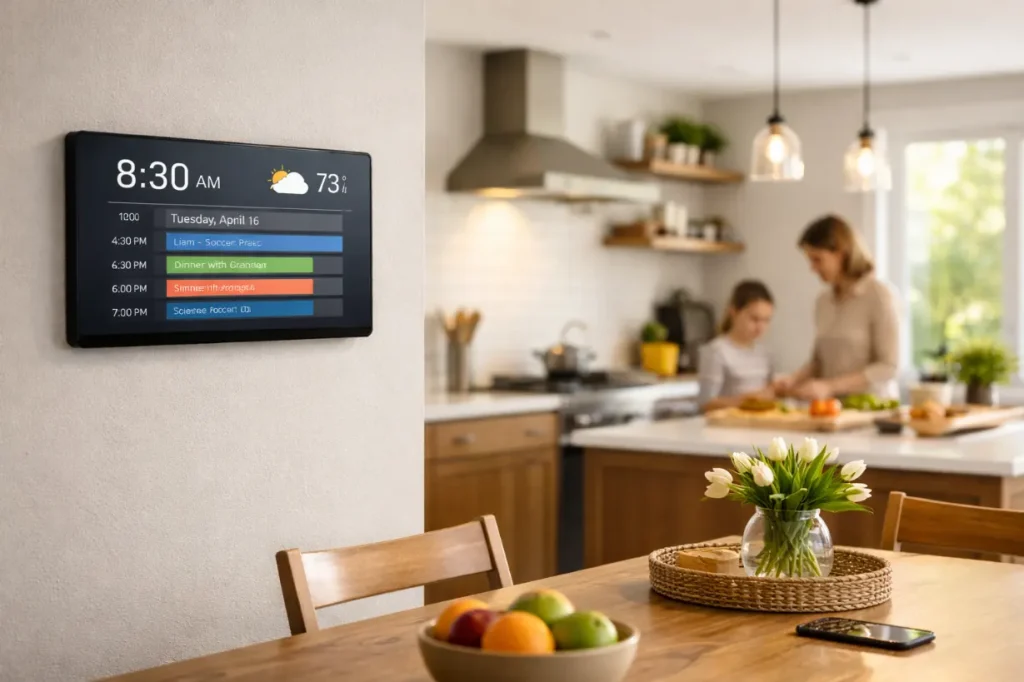
A screen on the wall with color blocks isn’t only good-looking. It makes things easy to use. Voice talks help young kids or older folks. Touch lets you change things fast during morning plans or night reviews. These screens stay active. They draw people in.
Key Features That Set 2026 Digital Hubs Apart
Today’s smart calendar centers offer more than plain booking. They add easy controls and tweaks for real home life.
Integrated Task Management Beyond Appointments?
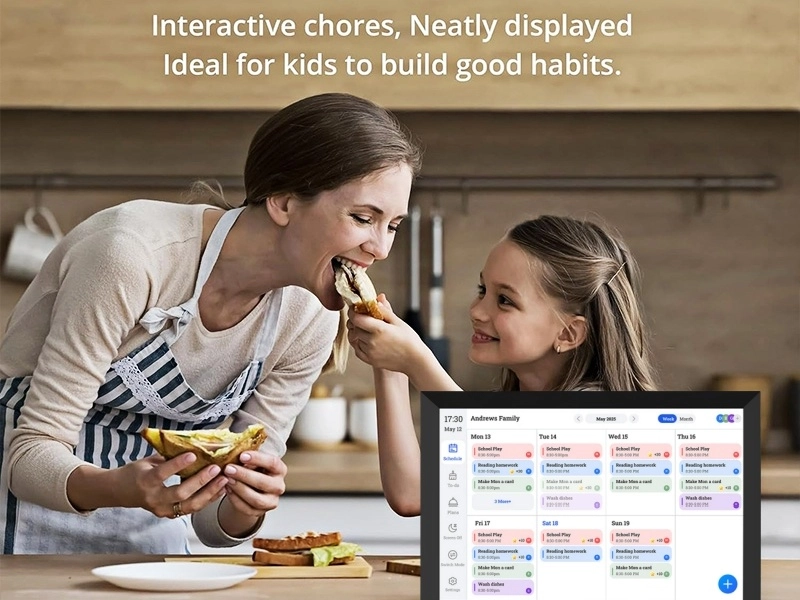
Calendars grow into full job trackers. You assign tasks with due times. Reminders go straight to the right person’s gadget. You see if it’s done live. This builds responsibility. It cuts down on reminders from parents.
Multi-Zone Time Awareness for Global Families?
For homes with far-off workers or family overseas, tracking time differences matters a lot. Smart calendars fix times based on where you are. They show local weather too. This little touch smooths out planning.
Customizable Views Based on User Roles?
Not everyone in the family wants the same screen. Kids can see just homework dates and jobs. Parents switch between work stuff and meal times. Older folks get simple screens with big letters and few buttons.
Choosing Between Wall-Mounted Displays vs Mobile-Centric Calendars
Digital calendar tools come in two main types now: app-focused on phones and always-on wall screens. Each fits different home styles.
Benefits of a Dedicated Wall Display in Shared Spaces?
Wall screens serve as clear guides in busy spots like kitchens or family rooms. They spark quick planning over food or drinks. No one needs to grab their phone. When all see the plan, all join in.
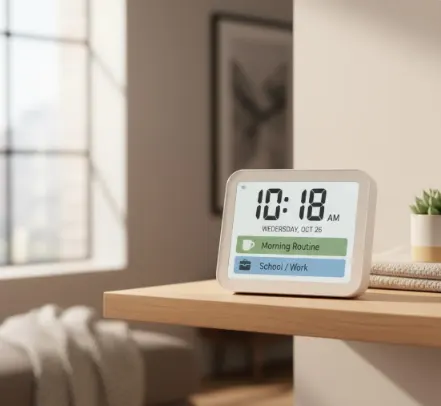
The 10.1 Wi-Fi Digital Day Clock stands out for clear use and simple handling. It gives live weather info and auto time links through Wi-Fi. This stops hand-done mistakes. It also works as a neat table screen. View this model here.
When Mobile-Centric Solutions Make More Sense?
For families always out—like sharing kid care between homes or traveling for work—phone-based calendars give freedom. They link well with phones. They match tools like iOS or Android calendars.
How Shenzhen Yijing Technology Co., Ltd. (YIAISIGN) Enhances the Digital Calendar Experience
In a busy market for smart home screens, YIAISIGN shines by mixing screen skills with everyday use.
Display Innovation Meets Practical Functionality
YIAISIGN focuses on smart digital photo frames, Android all-in-one units, and sharp signs for current homes. Their 8-inch Wi-Fi Digital Day Clock fits small spaces or nightstands. It has over 40 changeable alerts for pills, school habits, or home fun. All in a green-friendly build. Check it out here.
Seamless Integration With Smart Home Ecosystems
Thanks to Android bases and Wi-Fi links, YIAISIGN gadgets connect smooth to your home setup. They handle live changes, voice controls, and app dashboards. This makes them kind to folks who aren’t big on tech.
Building Habits Around the Digital Hub Without Over-Reliance
Automation helps, sure. But real talks matter most. A digital calendar should aid family bonds. It must not take over.
Encouraging Family Check-ins Without Screen Fatigue?
Skip endless alerts. Set up daily habits like checking after dinner. Use the screen to start chats. Ask things like, “Who’s got a school task this week?” Or, “When’s free for a movie?”
Balancing Automation With Human Touch?
Let AI help with plans. But keep space for hand changes. This lets older or tech-shy people join in. They feel included, not left out.
Tips for Making the Transition Smooth
The best tool flops without family support. Go slow. Build faith step by step.
Start With Shared Goals Instead of Rules?
Present it as stress relief, not strict orders. Have each add one thing weekly. Like a sports game or a call with grandma. This gets everyone used to it.
Keep It Visible But Not Intrusive?
Place wall screens where folks hang out. Think near the table or door. Don’t hide them in a quiet spot. Skip busy designs. Use just three or four colors for clear sight.
FAQ
Q1: What if one family member isn’t tech-savvy?
A: Choose devices with voice command features or simplified interfaces like those found in YIAISIGN’s 8” Wi-Fi Digital Day Clock—designed for accessibility across age groups.
Q2: How secure is our data on these shared calendars?
A: Reputable manufacturers use encrypted storage methods. Stick with trusted brands such as YIAISIGN that follow international standards like ISO9001 and hold CE/FCC/RoHS certifications.
Q3: Can I use a digital day clock function alongside the calendar?
A: Yes, many models integrate both scheduling and clock features—providing time orientation and reminders in one display for added convenience.