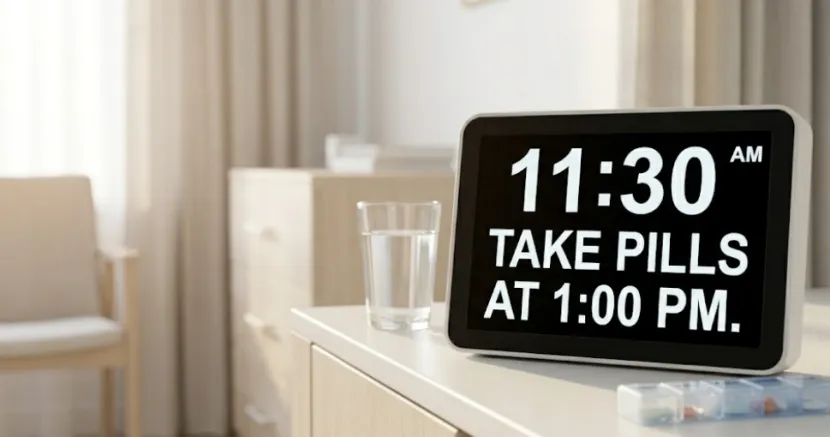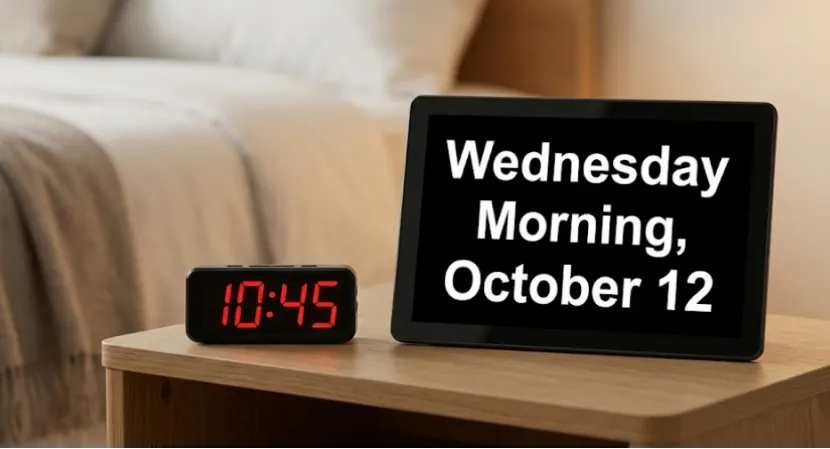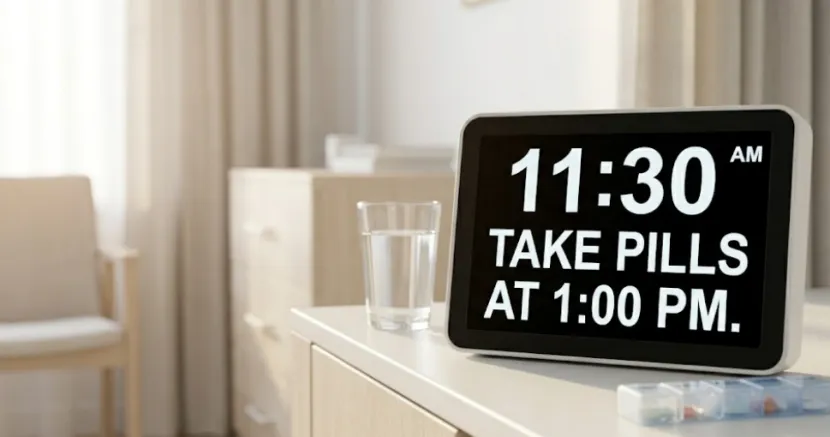
When you shop for a no wifi reminder clock for seniors, ask yourself one thing. Does it actually help? It doesn’t matter if the gadget seems super smart. People just want basic things in a bedroom, a healing space, or a quiet house. They want to see the time easily. They need clear alarms. They don’t want app trouble, and they don’t want to learn new tech. A simple reminder clock is usually the best pick. It stays right there in plain sight.,this is a big deal for busy care workers and tired families.
Why Does a No-WiFi Reminder Clock Matter?
Taking care of older folks is hard work. Tiny problems add up fast. Maybe the internet drops. Maybe someone forgot a password. Or maybe a phone got silenced by mistake. Suddenly, a helpful tool becomes just another broken thing to fix.
Fewer Steps, Less Confusion
A no wifi reminder clock for seniors wipes out lots of hurdles right away. You don’t have to mess with any apps. You don’t make an account. You never have to set up the network again if you move the clock to a new room. Family members don’t have to explain things over and over. Workers in assisted living or memory care save time too. They spend less time clicking buttons. They spend more time actually helping people.
Visible Prompts Work Better Than Hidden Alerts
Phone alerts vanish quickly. A screen by the bed stays put, the alert stays right where you can see it. That is the whole point. The YIAISIGN digital day clock group focuses on this exact idea. Their site lists an all day display, multiple reminders, and easy operation as their main features.
Who Benefits Most From This Type of Clock?
This isn’t just for “older adults” in general. It is for real people in real rooms. They have daily habits, and they also have short limits on time and patience.
Family Caregivers and Home Care Support
Maybe you help your aging mom or dad at home. An easy clock for elderly folks can stop them from asking the same questions all day. They won’t keep asking about the time or what happens next. This helps a lot when different family members take turns visiting. Some families just don’t want another smart screen in the house. That makes sense. A solid screen sitting on a table feels safer. It is much easier to trust than a bunch of random phone pop-ups.
Assisted Living, Memory Care, and Recovery Rooms
A non wifi dementia clock fits perfectly in shared care homes too. Staff members come and go. Patients move to new rooms. Internet rules change from place to place. Because of this, a simple gadget works best. You just set it on a desk or hang it on a wall, and it still gives daily alerts without a fuss. YIAISIGN says its reminder clocks are great for seniors and patients. It helps them stay on track with daily chores and doctor times.
What Should You Look for in the Best No-WiFi Reminder Clock for Seniors?
Some clocks look basic but are still hard to use. Most buyers don’t care about big promises. They just want to read the screen from across the room. They want to see it clearly at 7 a.m., even before their morning coffee.
Clear Display and Daily Reminder Support
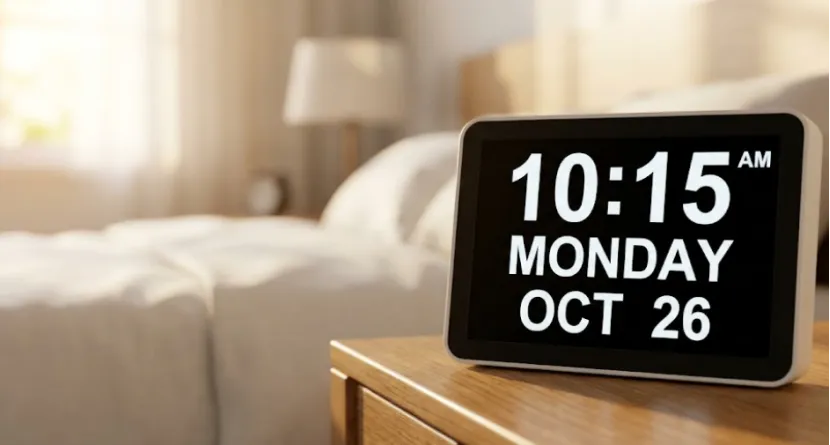
A good no wifi reminder clock for seniors needs to show the time, day, and date simply. The user shouldn’t have to stare hard to figure it out. Big numbers help a lot. A clean screen design is even better. You also need daily reminder support. Alerts for pills, food, doctors, and bed are the main goals. They are not just extra perks.
Brightness, Controls, and Placement
A super bright screen at night is really annoying. Auto dimming is a must-have for bedrooms and care spots. The buttons should be very simple. Family or nurses should be able to change things fast. The YIAISIGN 7-inch reminder clock page points out an easy-to-read style. It has a screen that saves space and focuses on alerts. The brand’s bigger digital day clock group talks about multiple reminders and easy operation too. This mix is exactly what buyers want. You can check their product page and digital day clock list to see.
Why Can the Maker Matter as Much as the Clock?
When you buy things for elder care, the item itself is only half the story. The company behind it matters just as much. Good parts, steady stock, and a clear focus are a big deal. You will notice these things later when you really don’t want any bad surprises.
A Quiet Sign of Reliability
YIAISIGN makes screens. We focus on digital photo frames, calendar clocks, and similar goods, have 15 years of manufacturing experience., and offer OEM and ODM support. They run four production lines and make about 3,000 units every day. They build their digital day clocks to offer multiple reminders, all day display, and easy operation. This matches perfectly with real care needs, not just silly tech trends. This doesn’t sound like tricky sales talk. It sounds like a builder who truly gets screens and daily habits. For shoppers, that is a very good thing.
Why Is Simplicity Still the Better Choice in Care Environments?
There is a good reason why people always come back to the easy clock for elderly group. It fixes one specific problem very well. Doing one thing great is way better than doing ten things poorly.
Simple Tools Often Get Used More
In memory care or home living, actually using the tool is more important than having a hundred features. You can set up a non wifi dementia clock much faster. You can move it without stress. You don’t have to explain it much. This makes it a smart pick for folks who want clear alerts but hate apps. When you just want a calm, steady day, a basic clock is the safest choice.
FAQ
Q1: What is the best no wifi reminder clock for seniors?
A: The top pick is one that has a clear screen and simple buttons. It needs plain alerts and a fast setup. In care homes, being easy to read and use beats having smart features.
Q2: Is a non wifi dementia clock better than a smart display?
A: Most of the time, yes. A non wifi dementia clock is easier to set up and control. It brings less stress to users who hate apps or internet steps.
Q3: Why is a simple reminder clock helpful for seniors?
A: It leaves the alerts out in the open all day long. This is great for tracking food, pills, doctor visits, and sleep times. You never have to check a phone.
Q4: What makes an easy clock for elderly users easier to use?
A: Huge numbers help a ton. It needs a clear day and date view. Basic buttons and a screen light that looks good during the day and night are key.
Q5: Can a no wifi reminder clock for seniors be used in assisted living?
A: Yes, absolutely. It is a great match for assisted living, memory centers, and home care. It sets up fast and never needs logins, apps, or WiFi to work.