Dementia care technology trends are shifting rapidly as the 2026 silver economy grows. Memory care units deal with serious, heartbreaking challenges daily. Keeping residents safe is the baseline, but giving them a sense of dignity requires smarter environmental design. When an Alzheimer’s patient loses their grip on time, it triggers a cascade of anxiety. Specialized visual aids are quickly becoming mandatory hardware to help stabilize the daily lives of residents.
If you are involved in silver economy B2B procurement, finding the right equipment makes a massive difference for your staff and patients. As a leading manufacturer of commercial displays, YIAISIGN develops smart visual aids specifically built for the healthcare sector. Their specialized YIAISIGN digital day clock lineup functions as reliable cognitive support tools for care facilities. These screens provide continuous orientation and steady daily routines for seniors dealing with memory loss. You get factory-direct quality, customizable interfaces, and hardware designed to withstand constant commercial use without looking like cold medical equipment.
What Is the Core Challenge in Memory Care Right Now?
Time cognitive impairment creates a heavy ripple effect across a whole facility. When residents lose track of time, anxiety spikes immediately. You might notice an increase in wandering behaviors or agitation as the afternoon fades. Preventive care staff job burnout to solve specific psychological perplexity, meet the needs of different time machine electronic clock.
The Psychological Toll of Time Confusion
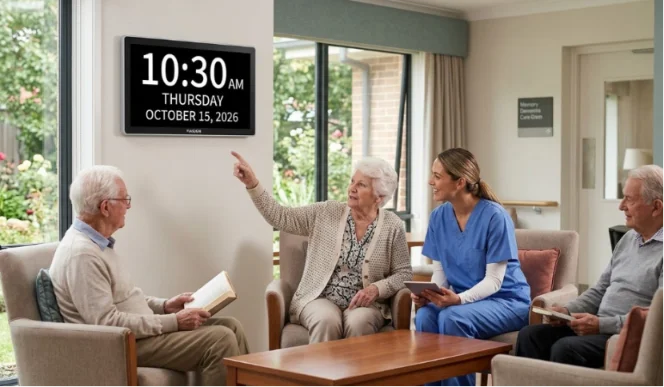
Sundowning syndrome triggers are often linked directly to a lack of environmental cues. The brain simply cannot process whether it is morning or evening. Different patients in the hospital have errors in judging the time by light, but they are not as accurate as YIAISIGN’s clear digital clock.
Why Non-Wearable Tech Makes a Difference
Many families try smartwatches or tracking bracelets first. Seniors with dementia often find them uncomfortable or simply forget to charge them. Non-wearable assistive technology solves this problem entirely. By placing passive visual cues on a wall or nightstand, you create a frictionless patient experience. The screen just sits there quietly. It provides answers before the resident even has to ask a caregiver.
Which Features Make Smart Displays Effective for Seniors?
Not every digital screen works for an Alzheimer’s patient. Standard consumer tablets have confusing interfaces, tiny fonts, and annoying software updates that pop up out of nowhere. True memory care smart displays strip away the digital clutter. They focus heavily on high contrast, giant text, and targeted health prompts.
Continuous Time Tracking and Layouts
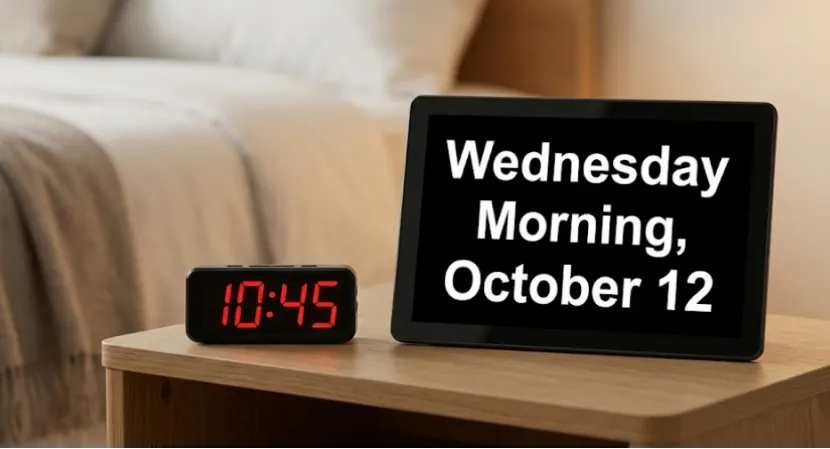
An appropriate dementia electronic clock can provide continuous 24 hours time, according to a 10.1 -inch model has a variety of customizable interface options, also supports more than 10 kinds of language, easy to exchange flexibility to meet the needs of different users.
Medication Alerts and Routine Prompts
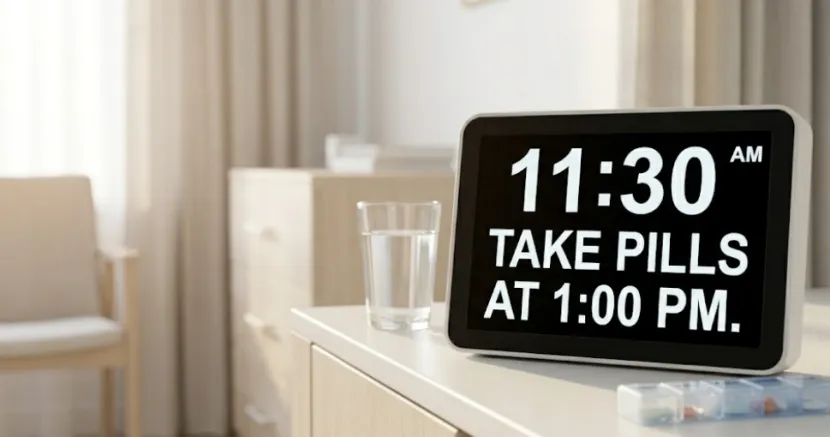
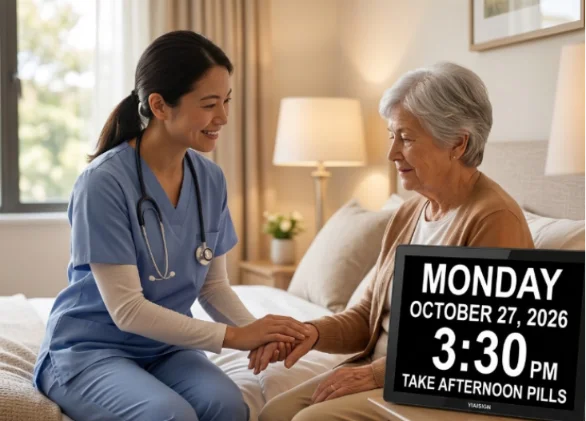
Getting residents to take their pills on schedule takes a lot of effort. These smart displays include useful reminders and drug alert features to assist with important tasks. You can set customizable medication alerts to manage daily tasks, such as taking medication or drinking water. Giving a visual nudge reduces the risk of forgetting important routines and events. They even provide hourly broadcasts and multi-function alarms for all-day assistance.
Smart Lighting for Better Sleep
A bright glowing screen in a dark bedroom completely ruins a senior’s circadian rhythm. Auto-dimming screens for seniors are non-negotiable for memory care. Quality units feature a low-glare screen that provides a comfortable viewing experience. They use an automatic dimmer from 7 PM to 7 AM for eye comfort. This subtle lighting shift signals to the confused brain that it is time to wind down for the night.
How to Choose the Right Display for Your Facility?
Upgrading a facility means looking closely at your physical space and your building network capabilities. A massive shared dining hall needs a completely different tech setup than a quiet private bedside table. You have to match the hardware to the specific room environment.
Compact and Plug-and-Play Options
For bedside tables or small reading nooks, an 8-inch electronic calendar reminder clock is a space-saving and practical device. Due to its plug and play design, auxiliary equipment adopt environmental protection and durable material, you only need to insert them into the power socket, they can start working immediately.
Advanced Networked Models
If you manage a larger community, 10.1-inch Wi-Fi digital displays offer much more robust features. The high-end version of the electronic clock has intelligent wi-fi can provide real-time weather updates and temperature display, operating system will automatically synchronization time, in order to ensure the accuracy and timeliness of information, and can manage these remote Settings.
As you look to upgrade memory care standards across your organization, prioritize tech that actually serves the end user. Passive displays offer dignity to patients and much-needed breathing room to staff.
FAQ
Question 1: Does the YIAISIGN digital clock need to be charged daily?
Answer: The default version adopts a plug-and-play design to reduce the weight and cost of the battery. For enterprises, an additional customized digital clock with a lithium battery can be provided.
Question 2: Are these screens too bright for older people to sleep?
Answer: clock has five levels: function, the default automatically adjust clock from 7 PM to 7 am automatically open lower brightness, in order to make the screen brightness is appropriate, avoid affect sleep.
Question 3: for non-native English speakers, you can change the interface language?
Answer: wi-fi model and common model support support more than 10 languages, in order to satisfy the demands of the languages of different countries.
Question 4: What specific timing procedures can be set?
Answer: You can set up to 32 types of alarms for various daily activities, as well as medication reminders and drinking water reminders.
Question 5: basic models whether to need to have an active Internet connection to run properly?
Answer: Both the regular model and the Wi-Fi model can operate normally offline without Wi-Fi.