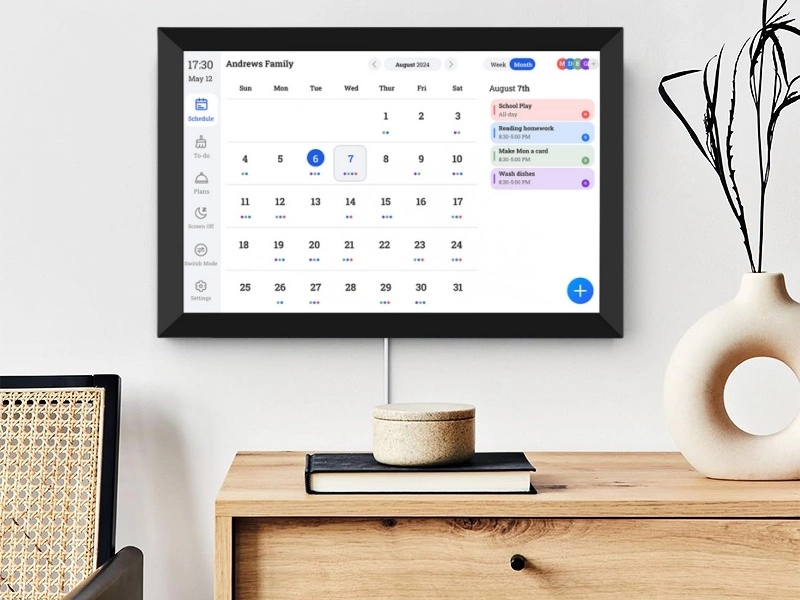
Relying on a paper calendar to keep track of your family schedule requires a marked calendar, but in today’s fast-paced society, where personal and family matters often conflict, relying on this approach can be even more frustrating. That’s why many homes now pick digital family calendars. They help smooth out daily habits and keep things peaceful.
One top player in smart screen creation is Shenzhen Yijing Technology Co., Ltd. (YIAISIGN). The firm has more than 15 years in making top-notch digital screen items. YIAISIGN sells many kinds of solid choices, from digital day clocks to Android all-in-one machines. It runs a 3,000㎡ site in Shenzhen with four lines for making stuff. Plus, it has ISO9001 approval and ships goods worldwide. YIAISIGN focuses on fine points and steady new ideas. It brings smart calendar screens that work well and look nice to fit any home or office.
Why Busy Families Are Turning to Digital Calendars
As today’s homes get more tangled, old tools often can’t keep pace. A digital family calendar gives instant views of each person’s plans. It creates a shared spot that keeps all on the same page.
The Shift from Paper Planners to Smart Displays
Paper calendars hold a warm feel from the past. But they can’t match the speed of digital options. Shifting an appointment on paper means ugly marks or sticky papers. Digital ones let you move events with a simple drag and drop. Recurring events stay put. When you set up a repeating event, each time shows up right away on your calendar.
Smart calendar screens also share access over devices. So changes from your phone pop up at once on the wall screen. These quick updates stop mix-ups. They keep everyone in the loop. This works for setting up school rides or plotting a short trip.
Common Pain Points in Family Scheduling
Most families know the mess of skipped meetings or overlaps. Kids miss their events. Parents mix up work times. Talks break down. Digital calendars fix this mess. They put all events in one spot.
Even nicer, when linked to apps like Google Calendar or Apple Calendar, they make one true source. You can reach it from any gadget. No need to search notebooks or send texts for news.
Key Features That Make Digital Family Calendars Effective
What makes a good smart calendar stand out isn’t only showing time. It’s how it fits into your everyday rhythm. Clever traits help each family member stay neat without much watching over.
Real-Time Syncing Across Devices
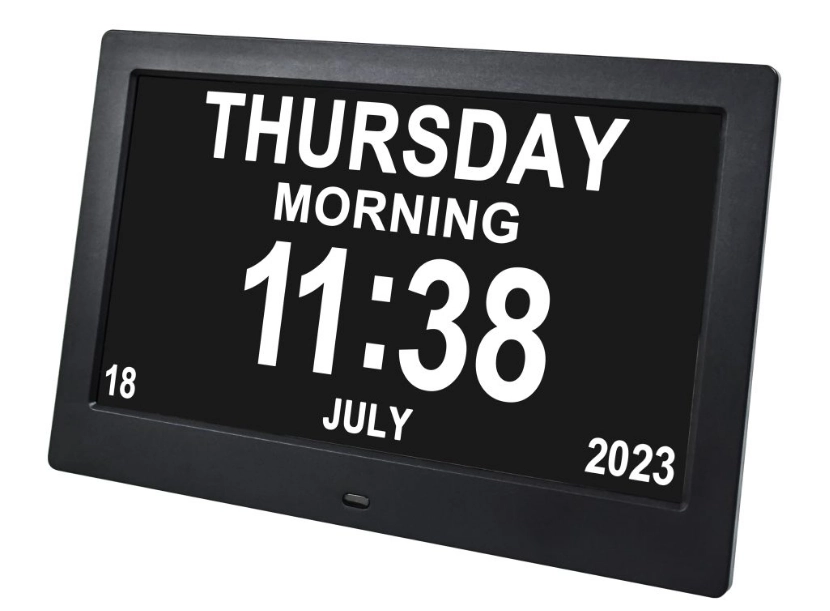
Picture changing an event on your phone. Then it shows up right away on the kitchen screen. No delay. No mix-up. The 10.1 Wi-Fi Digital Day Clock has smart Wi-Fi that gives fresh weather info, temperature, and humidity shows. This setup makes sure talks happen on time in your home. No hand-holding needed.
The 8” Digital Calendar and Day Clock works great as a starter for small homes or older folks. They need big views and easy nudges. It has helpful alerts and medicine warnings for key jobs.
Custom Views for Each Family Member
Color tags help spot who’s got what and when fast. This clear sight is key for handling plans of several kids or grown-ups with different days. Some setups let users pick what shows. They see just their stuff. That’s perfect for kids learning to stand on their own.
Integration with Popular Apps and Services
A fine smart calendar links with tools you know. YIAISIGN gives full software and hardware fixes. This means hardware and system match perfectly. Sync with Google Calendar or set alerts via Outlook. These make teaming up simple.
Many types also tie in extras, like current weather or smart home links. Your calendar turns into more than a planner. It becomes a big part of your wired life.
More Than Just a Calendar: Added Daily Value
Smart screens grow into main spots for running a family. They do over dates. They aid in food plans, job tracking, and easy home duties.
Meal Planning and Grocery Coordination
Some digital calendars show weekly food ideas right by the day’s list. This helps match meal making with night events. It skips the usual “What’s for dinner?” hassle.
Some let you change shopping lists as ideas shift. This saves surprise store trips in the week.
Visual Reminders for Chores and Tasks
Giving out home jobs gets easy when kids see theirs on screen. Sight hints beat constant reminders. They build self-reliance. Kids feel more part of home work.
The 10.1” Wi-Fi Digital Day Clock handles this fine. It offers many alarms and life nudges. Great for keeping order in full homes.
Making It a Natural Part of Your Home Life
A digital calendar won’t aid if ignored. Smart spots and simple starts make it fit your daily flow smooth.
Placement Matters: Where to Put Your Display?
Best places are busy paths like kitchen, front door, or living area. Everyone walks there often. Desk types fit tight spots. Wall ones free up tables.
Pick screen size for how far you view. The 10.1-inch one suits mid rooms well. It has sharp pics and quick show.
Getting Everyone Onboard Without Resistance?
Start slow. Add just steady events first, like weekly games or job meets. Let kids pick event colors or signs. That little say often keeps them hooked long.
Before long, glancing at the calendar feels normal for all.
A Thoughtful Gift That Keeps Families Connected
Smart calendars aren’t only useful. They’re deep gifts that show thought and planning.
Why It Makes a Meaningful Present for Loved Ones?
For fresh parents with a new baby or tech-smart grandparents with many dates, a digital day clock eases all. This 8-inch electronic reminder clock saves space and works well. It fits any room or age.
Gifting one means you care about their time, well-being, and calm. Way more than usual presents say.
Combining Functionality with Aesthetic Appeal
With clean black or white looks, gentle light screens, and plain edges, new screens match home style. Not fight it. Hang on wall or set on desk, it adds nice touch.
Security and Privacy Considerations for Peace of Mind
Going digital doesn’t mean open to all. Good systems have guards to shield your info from outsiders.
How Smart Displays Keep Family Data Safe?
These gadgets use safe links when tying calendars over accounts. You can tweak access levels too. So kids won’t erase events by mistake or see private bits.
This lets the family use the calendar. Yet keeps secret stuff locked.
Choosing the Right Digital Calendar Display
Not every screen is the same. Picking the best fits your home’s wants and setup.
What to Look For When Comparing Options?
Screen size counts. But ease of use beats size. Seek simple menus that even non-tech folks handle okay. Things like far-off control, screen dim for night, and changeable setups make daily use easy.
YIAISIGN has screens that hit these marks. They back big rollouts via OEM / ODM ties. Perfect for business buyers wanting growth fixes.
A Trusted Option from Shenzhen Yijing Technology Co., Ltd. (YIAISIGN)
If you want steady work with smart looks, YIAISIGN focuses on fine 3C digital goods like smart screens and Android touch tools. Their 8” Digital Calendar and Day Clock and 10.1” Wi-Fi Digital Day Clock suit home users and business mates.
Bridging Work-Life Balance in Hybrid Households
Hybrid jobs are common now. Families need aids that line up all duties in one spot.
Supporting Remote Work Schedules Alongside School Activities
Seeing all laid out helps parents fit work talks with school rides or dance class. Smart screens cut worry. They give one board for all tasks. Planning gets simpler each minute.
Future-Proofing Your Home Organization System
As family changes, tools should match.
How Smart Calendars Adapt to Evolving Needs?
Digital calendars get fresh via software fixes. They add new bits without hardware swaps. Add family or shift habits, your screen won’t get old quick.
Staying Ahead with Reliable Tech Partners
Teaming with makers like YIAISIGN lets firms give strong digital screen aids. They mix style and use. Helps folks stay neat whatever life brings.
FAQ
Q1: Can I sync multiple calendars from different platforms into one display?
A: Yes! Most digital displays support syncing from Google Calendar, Apple Calendar, Outlook, and more simultaneously.
Q2: Is it difficult to set up a digital calendar display?
A: No—it usually takes just minutes using Wi-Fi and your smartphone or tablet to get started.
Q3: What happens if the internet goes down?
A: YIAISIGN equipment recent events will be saved locally, so even if there is no active Internet connection, you can still see the schedule.