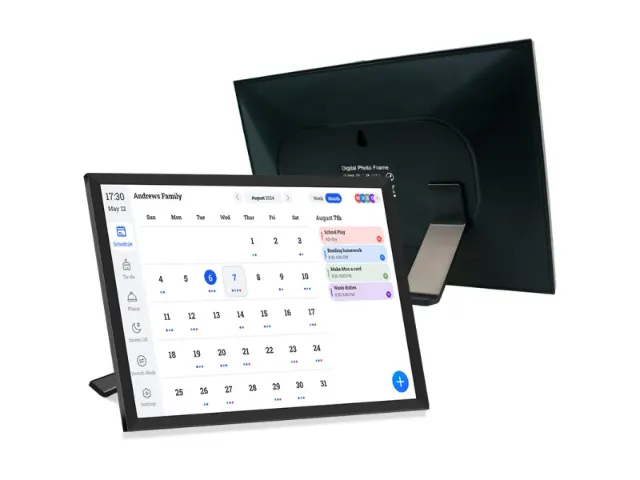
A smart family calendar is often sold as a home gadget. In projects, it plays a different role. You are not picking a screen for one household. You are choosing a shared scheduling display that must work for many people, in real spaces, with real routines. The real questions are simple: Will residents or staff actually look at it? Can your team update it fast? Will it stay stable when the Wi-Fi gets crowded at 7 p.m.?
Why Shared Living Environments Need More Than Personal Calendar Apps
Personal calendar apps are useful, but they assume each person checks a phone and keeps notifications on. In apartments, communities, and care settings, that assumption breaks. People miss pings. Staff rotate. Visitors come and go. You need something that sits in the space and keeps the plan visible.
The Limits of App-Based Scheduling in Multi-User Spaces
Apps are private by design. Even a shared calendar inside an app still lives behind logins, tabs, and muted notifications. In multi-user spaces, the most common failure is not “nobody created the event.” It is “nobody saw the change.” A family calendar display for shared spaces closes that gap. It turns schedules into shared context that people can see without effort.
Another issue is handoffs. When shifts change or residents move between activities, the schedule should not depend on one person’s phone. A wall view reduces friction, especially when the day is busy and people just want a quick answer.
Why Wall-Mounted Displays Change Behavior in Shared Spaces
A wall-mounted smart calendar works because it is hard to ignore. People glance at it while walking past. That is the whole point. You are buying walk-by visibility, not just a calendar feature list.
In practice, a smart family calendar used in shared spaces becomes a lightweight operations board. It can show the day’s plan, highlight changes, and reduce repeated questions like “What time is the activity?” or “Is the room booked?”
Core Use Cases of Smart Family Calendars in Apartments and Communities
Apartments and communities often need the same thing: clear information, posted in one place, and updated without drama. A smart family calendar can act like a digital wall calendar that stays current, instead of a paper board that goes stale by Wednesday.
Daily Announcements and Shared Schedules
This is the easiest win. You post what matters today: office hours, maintenance windows, delivery rules, community reminders, and key events. A shared screen displays responses to reduced members’ common questions and can also display things like duplicate schedules.
These are not “calendar events” in the home sense, but they are still time-based information people rely on.
Community Activities, Events, and Resource Booking
Community events work best when the schedule is visible. People do not open an app just to see what’s happening next week. They will glance at a screen near the entrance, mailbox area, or common room.
If you run bookable spaces, a display can also support a simple “what’s booked today” view. It does not replace a full booking system, but it reduces confusion and double-use. In many properties, that is the difference between smooth operations and constant small conflicts.
Smart Family Calendars in Care Facilities and Assisted Living
Care environments are where a smart calendar wall can add real operational value. The goal is not flashy features. It is clarity, consistency, and reduced mental load. People need information they can see, trust, and follow.
Daily Routines, Reminders, and Visual Guidance
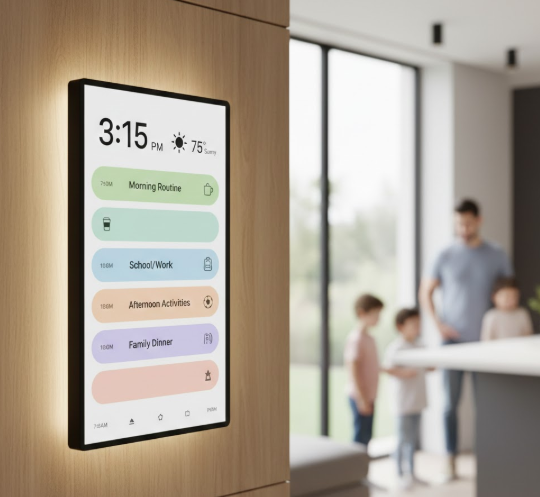
Calendar screen help care routine shows the following tasks: dining, medication, activities, visiting, treatment, and quiet time, provide visual guidance for residents, and provide quick reference for staff.
In more specialized environments, many teams also explore digital calendar displays for care environments to reduce verbal reminders and keep daily routines predictable without adding extra staff tasks.
Supporting Caregivers Without Increasing Workload
Care teams do not need another tool that creates more steps. The display should reduce steps. That means remote updates, simple layouts, and stable performance. If changes require a complicated workflow every time, the system will be ignored.
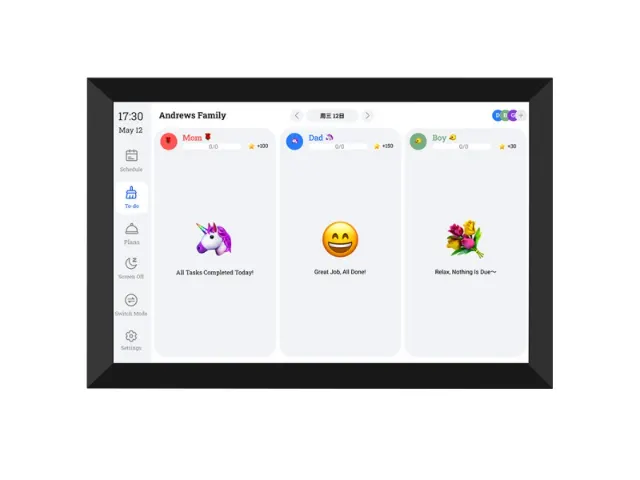
This is also where an electronic family planner concept translates well: the screen can combine schedule blocks with task reminders in a way that is easy to scan. The value is not “more features.” It is fewer interruptions and fewer repeated explanations.
Deployment Considerations for Property Managers and Project Teams
This is the part that decides whether a pilot becomes a rollout. A smart family calendar is a screen, but your project risks are not about pixels. They are about placement, maintenance, and long-term reliability.
Before you compare models, it helps to align on the evaluation points that affect daily operations.
| Evaluation Factor | Why It Matters in Apartments, Communities, and Care Facilities |
| Screen Size Range | Different spaces need different viewing distances, from hallways to large common rooms |
| Wall Mounting Options | Stable mounting supports safety and long-term reliability in public areas |
| Touch Responsiveness | Frequent daily use requires fast and accurate touch response |
| Remote Content Updates | Reduces on-site workload and keeps schedules current across locations |
| Connectivity Stability | Prevents outdated information during peak usage hours |
| Readable Layout Design | Clear text and spacing help residents and staff scan information quickly |
| Scalability | Supports rollout from one site to multiple buildings without rework |
For teams evaluating next steps, it often helps to review wall-mounted calendar displays for shared spaces that are designed specifically for public and multi-user environments.
Screen Size, Placement, and Mounting in Public Areas
Pick size based on viewing distance and traffic flow. A large screen can help in a big common room, but it may be wrong for a narrow hallway. In shared spaces, readability matters more than aesthetics. If people need to walk up close to read it, they will not read it.
Mounting also matters. You want a stable install, a height that suits both staff and residents, and a location that avoids heavy glare. Simple rule: if the screen becomes annoying to look at, it will stop being used.
Connectivity, Remote Updates, and Central Management
If the display is out of date, it becomes untrusted. So connectivity is not a technical detail. It is the foundation of adoption. Crowded residential Wi-Fi can cause issues at peak hours, and that is when schedules get checked most.
Remote updates are also essential. Your team should be able to push changes without walking to the device. For multi-location operations, central management becomes a real cost factor. If updates require on-site visits, labor cost rises fast and the project loses internal support.
How These Systems Scale From One Building to Many
Scaling is not about buying more screens. It is about copying what works while keeping local flexibility. In a single building, a staff member can improvise. In ten buildings, you need consistency.
From Single Locations to Multi-Site Operations
A scalable approach usually includes shared templates for layouts and recurring items, plus room for local events. This is where a smart family calendar system becomes more than a calendar. It becomes a repeatable display workflow: what is shown, when it updates, and who can edit it.
When you can replicate that workflow across sites, rollouts get easier. Training gets simpler too. You are no longer teaching “how to use a device,” you are teaching “how you publish schedules here.”
Why Some Project Teams Choose YIAISIGN for Shared Scheduling Displays
In project settings, the device is only part of the decision. What matters is whether the solution stays usable after installation, when schedules change daily and staff time is limited. YIAISIGN focuses on smart calendar displays built for shared living and operational spaces, including apartments, communities, and care environments. The lineup spans multiple screen sizes to match different viewing distances, and the display setup supports remote content updates through a companion app so changes can be made without on-site visits. For teams managing more than one location, that remote workflow can reduce routine workload and keep information consistent. The product concept also combines scheduling, task-style content, and optional photo or art display modes, which helps the screen feel natural in public-facing areas instead of looking like a cold notice board.
Connecting Residential and Family Use Cases
It helps to remember why smart family calendars took off in homes. They work because they reduce friction and make plans visible. That same logic applies in shared living and care environments, just with different stakeholders.
When Home-Style Interaction Improves Shared Spaces
In home use, daily interaction speed matters. If editing is easy, people keep using it. In shared spaces, that same rule holds. A display that allows quick updates and stays readable supports better day-to-day flow.
If you want to see how these interaction patterns work at the household level, the article how smart family calendars are used at home explains why visibility and daily touch points matter more than screen size.
Conclusion
Choosing a smart family calendar for apartments, communities, and care facilities is really about choosing a shared visibility system that people will trust. Screen size matters, but reliability, placement, and update workflow matter more. If the display stays current, is easy to read where people naturally pass, and can be updated remotely without extra work, it becomes part of daily operations. If it drifts out of date or sits in the wrong place, it becomes wall decor. In project settings, that difference is the whole business case.
FAQ
Q1: What is the biggest reason these displays fail in shared spaces?
A: The screen stops being updated. Once people see wrong information a few times, they stop checking it. Remote updates and clear ownership fix this.
Q2: Where is the best place to mount a wall-mounted smart calendar in an apartment community?
A: Put it where residents naturally pause, such as near mailboxes, elevators, or a coffee corner. Avoid direct sunlight that causes glare.
Q3: Are digital wall calendars useful in care facilities if staff already has schedules?
A: They can be, because they reduce repeated questions and help residents follow routines. The display acts as a shared reference point.
Q4: How do you scale a shared calendar display from one site to multiple buildings without creating more work?
A: Use shared templates and recurring schedule blocks, then allow local edits for each location. That way, updates stay consistent and training stays simple.