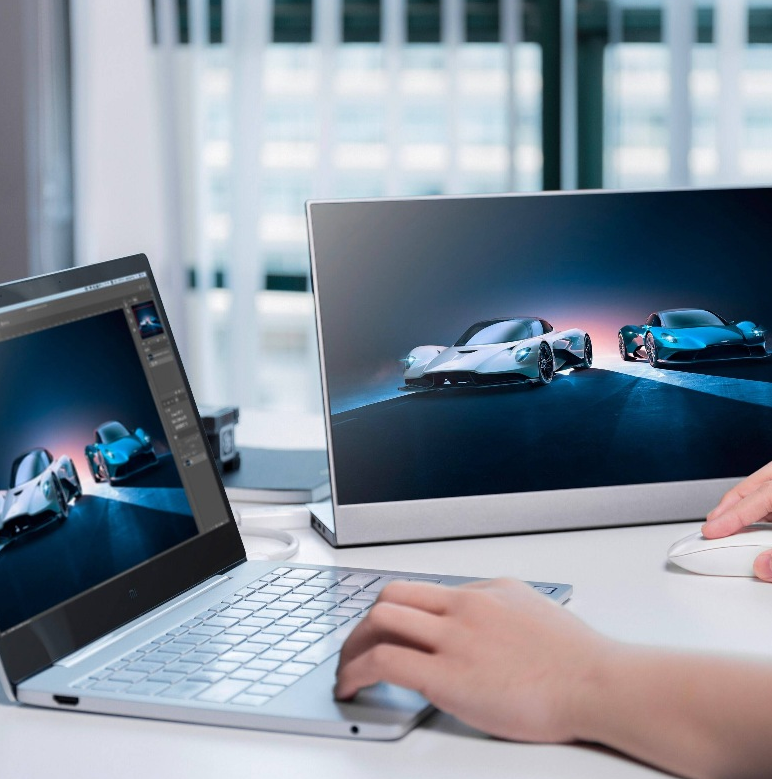
If you work from home, a café, or a hotel desk, you probably know this pain: too many apps on one small screen. Video call on top of slides, email hiding somewhere, chat in a tiny corner. After a few hours, your eyes feel tired and your focus is gone.
A 15.6 inch portable monitor gives you a second screen without turning your setup into a heavy, fixed desk. It folds flat, fits in a bag, and still gives you the feel of a real dual screen setup. Research on multi-monitor work has shown that people often finish text and spreadsheet tasks faster when they move from one screen to two.
Below you will see why this screen size works well for remote workers, which specs matter, and how real work scenes change when you add a simple portable display.
Why Remote Workers Need More Than One Screen
Remote work sounds free and flexible, but the gear is often basic. Many people only have a laptop on a small table. That is fine for short tasks. For full days of calls, documents and tools, one screen becomes a bottleneck.
A portable monitor for remote work gives you more room, without asking for more space on the desk.
The Reality Of Remote Work In 2025
Today you might split your week between home, a co-working space and trips. Studies about multi-screen setups show that many users feel less stress and better flow once they add a second screen for daily tasks.
If you handle reports, support tickets, planning boards or online lessons, you work with many windows at once. One laptop panel forces you to stack them. Two screens let you place them side by side, which feels much calmer.
Why 15.6’’ Is A Sweet Spot
A 15.6-inch panel matches the width of many notebooks. That makes it easy to line up with your main screen. It is big enough for a full page view, yet small enough to slide into most laptop bags. Reviews of portable displays often point to this size as a good balance for people who travel or move between rooms a lot.
You get a real second screen for remote workers without dragging a heavy desktop monitor around.
Key Features That Matter In A 15.6’’ Portable Monitor
Not every portable screen fits remote work. Some are built mainly for gaming, some for color-critical design. When your main goal is steady, simple productivity, a few features stand out.
Connectivity: USB-C And HDMI
Cable mess slows you down. One good USB-C portable monitor can take power and video from one cable when your laptop supports it. That keeps your desk cleaner and your travel kit lighter. HDMI is still handy for older laptops, mini PCs or consoles, so having both options gives you flexibility. Many buying guides now treat USB-C as the main link for mobile work screens.
Portability Details That Matter
On paper, many monitors look similar. In real life, small details decide if you carry it daily. Weight, thickness and the design of the smart cover all matter. A cover that acts as a stand saves you from packing an extra stand. A slim body that sits flat beside your laptop turns the screen into normal gear, not “special equipment” you only bring sometimes.
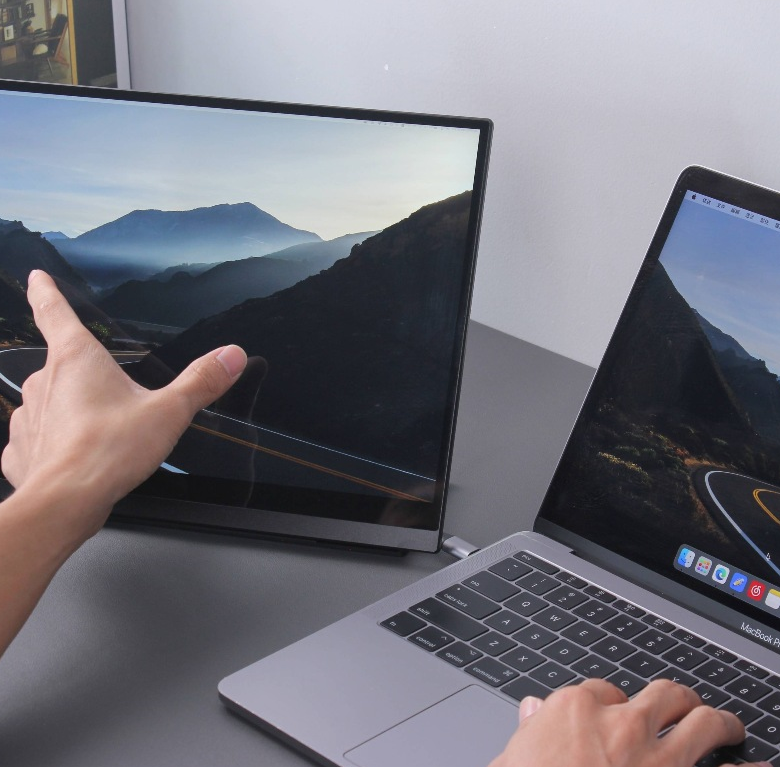
Real Use Cases: How Remote Workers Use A Portable Second Screen
Once you add a portable display, you start to find your own way to use it. Still, some patterns show up again and again.
Deep Work: Research And Writing Without Constant Tab Switching
If you write content, reports or project notes, you often read and type at the same time. With a 15.6 inch portable monitor, you can keep sources, data or briefs open on one side and write on the other.
You tap Alt+Tab less. You lose your place less. Long tasks feel more like a straight line and less like a loop.
Video Calls While Keeping Your Work Visible
If you spend a lot of time in Zoom, Teams or Meet, a second screen helps a lot. You can park the call window on the portable display and keep notes, boards or a quote sheet on your main screen. Articles on remote work tools often point out that this setup makes meetings smoother, because you do not keep hiding and reshuffling windows while you talk.
Communication On The Side, Work In The Center
Many remote workers pin Slack, email or ticket tools on the portable screen and leave the main display for focused work. That turns the extra panel into a portable screen for multitasking. Messages stay visible, but they do not sit right on top of your main task, so you can choose when to look.
Travel Days: Turning Any Place Into A Real Workstation
If you travel a lot, you know how messy hotel and airport work can feel. A light travel monitor lets you turn a small table into a mini office. Dual screens help you clear your inbox, finish slides and check data faster so you get real work done between flights instead of “half work”. Remote work blogs for digital nomads now list portable monitors as core gear for work from anywhere setups.
Productivity Gains You Can Actually Feel
All these scenes add up. More space means less shuffling. Studies on multiple displays report time savings and fewer errors, especially for tasks with lots of copy, compare and paste steps.
There is also the comfort side. When you can match the height of both screens and set a good viewing distance, your neck and eyes get a break. Guides on monitor ergonomics suggest keeping screens level and straight ahead to cut strain, even at a small desk.
Over weeks and months, that comfort is part of productivity too.
How To Choose The Right 15.6’’ Portable Monitor For Your Remote Setup
When you pick a screen, think about how you work day to day. For most remote jobs, a clear full HD portable monitor, an easy link over USB-C, a solid smart cover and a light body form a good core.
If you also edit photos or video, you may care more about color and brightness. If you play games after work, refresh rate might matter. But for email, docs and web tools, simple, steady specs beat fancy extras.
Setup Tips And Best Practices For Remote Workers
A few small habits help you get the most from your new screen. Try a simple layout first: laptop straight ahead, portable screen to one side. Keep font sizes similar on both so your eyes do not have to jump between tiny and huge text.
Carry one extra cable in your bag, even if you mostly use one. That small backup saves many work sessions in cafés and meeting rooms when the main lead gets lost or damaged.
Professional Display Solutions From YIAISIGN
YIAISIGN is a brand under Shenzhen Yijing Technology Co., Ltd., a company focused on digital display products such as digital photo frames, Android advertising players, digital signage and portable monitors. Public information describes a team with more than 15 years of experience in research, design and production of different display sizes.
The brand acts as a professional maker, not just a trader. With in-house R&D and factory lines, it can support custom needs and stable supply for business buyers. Portable displays combine flexible visual solutions to provide high visual efficiency from small desk displays to full public extension displays.
FAQ
Q1: Is A 15.6’’ Screen Big Enough For Serious Work?
A: Yes. It is close to a standard laptop size, so you can see a full page or app without constant zooming.
Q2: Can A Portable Monitor Replace A Regular Desktop Monitor?
A: For a fixed desk, a large screen still feels great. If you plug in for long sessions or carry a small charger, it is usually fine.
Q3: Is It Hard To Set Up A Portable Monitor The First Time?
A: It is mostly plug-and-play. You connect the cable, set the layout once in your system, and it should come back the same next time.