Digital signage is no longer just about sharing information. It’s about creating interaction, experiences, and connections. A well-designed touchscreen display can do more than just show advertisements. It can encourage action. It can start conversations. It can change how people view your brand.
You may have already heard of YIAISIGN.What makes them different is their focus on simple customization—hardware and content work seamlessly with modern software and touch-screen design. You can learn more about their journey and technology on their About Us page, where they share how years of experience in electronics and user experience (UX) engineering helped them create flexible systems that meet real business needs.
Why Custom Content Matters for Touch Screen Digital Signage?
Touch screen digital signage has changed how people receive information in public spaces. A few years ago, static slides or looping videos were enough. Today, audiences expect to do something—tap, scroll, choose, or explore. Generic content no longer keeps them engaged.
When you walk into a shopping mall or an airport, people stop to look at what screen information to plan. These displays feel alive because their content is tailored to the moment and the location. The same logic applies to your business. Whether you manage a store, a museum, or a service counter, personalized content gives your screen purpose.
The best part? A clear plan, some creativity, and the right platform — such as a custom digital signage display that allows for flexible updates via cloud controls and simple touch interface editing.
The Shift From Displaying Information to Building Experiences
In the past, signage content was built around what to show. Now, it’s about how to make the viewer participate. Interactive content lets you deliver messages that adapt to audience behavior. A visitor can select a product, browse promotions, or even fill out a quick survey. Each touch tells you what your customers care about, which helps you refine future content.
Why Generic Content Fails to Create Impact?
Many screens still play looped videos or slideshows. These can look nice but rarely connect with viewers. The problem isn’t always the hardware—it’s the mismatch between message and interaction.
What makes a difference is relevance. Showing weather info in a coffee shop, for example, isn’t nearly as useful as letting customers tap to check today’s drink specials. Interactivity drives attention. A simple touch gesture can extend average viewing time by over 30%, based on multiple field studies in retail environments.
Common Mistakes That Limit Engagement
- Overloading screens:Too many animations or crowded text make users walk away.
- Ignoring context:Content that doesn’t fit the location confuses people.
- Slow responses:Touch screens must react instantly; delays break trust.
- No clear call-to-action:Users need a visual clue for what to touch first.
Pruning simplify the text, rearrange the ICONS or navigation and simple implementation
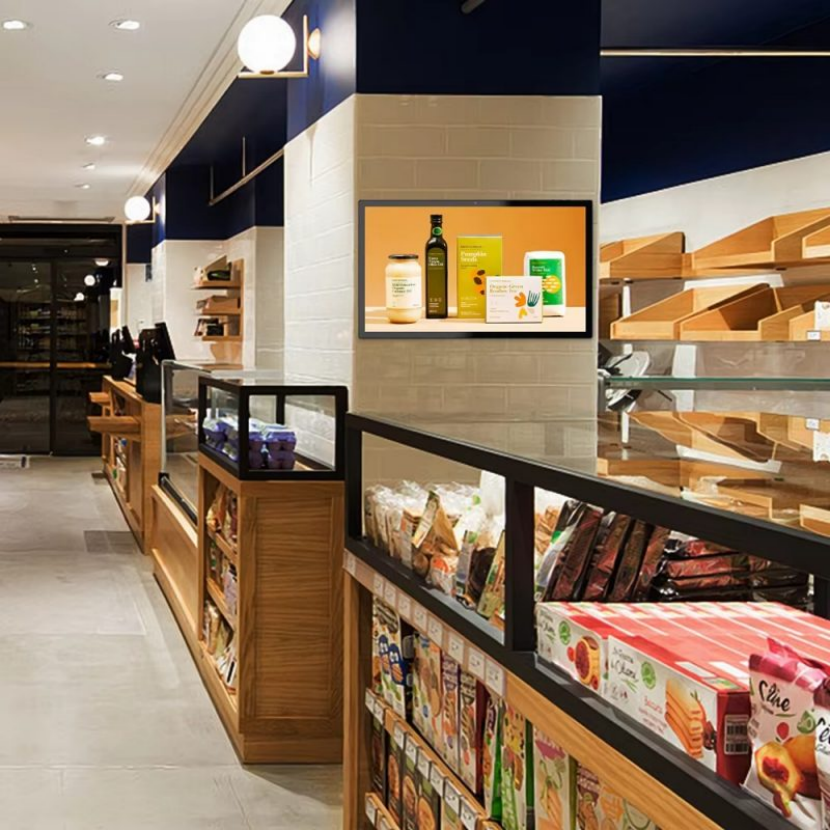
How to Customize Your Touch Screen Digital Signage Content?
Clear goals come first. Each screen should say what a visitor can do and why it helps. Keep choices obvious, text short, and the next step easy to spot. Then build from there, one decision at a time.
Know Your Audience and Location
Start with who will use the display and where it lives. A mall kiosk serves people on the move, so big buttons and quick paths work best. A museum station gets longer attention, so layered menus and deeper info make sense. Match the layout to the pace of the place. Use simple words, large tap targets, and visuals that read in a glance.
In busy spots, keep text short and buttons large enough to hit with one tap. In quieter settings, you can use layered menus or scrolling features that invite exploration. Location decides tone.
Design for Smooth Touch Interaction
Touch design is more than putting buttons on a screen. It’s about predicting natural gestures. People will try to swipe, pinch, or tap without thinking. Your interface should feel familiar even on first use.
Keep interactive zones clear, avoid cluttered backgrounds, and make sure key elements stay within easy reach. A visual hierarchy shows multiple options, with large fonts for major categories and small fonts for details. It feels natural, not pushy.
Combine Motion, Text, and Sound Thoughtfully
Static pages rarely hold attention for long. Mixing media helps you tell your story faster. Video captures attention, text delivers details, and audio builds emotion. But they must work together.
| Media Type | Purpose | Example Use |
| Video | Catch attention | A product demo looping silently |
| Text | Clarify message | A short callout with key facts |
| Audio | Create emotion | A calm welcome sound or alert tone |
Use bright colors for active zones but stay consistent with your brand palette. Too much motion can feel chaotic. Subtlety keeps it professional.
Keep Content Easy to Update
Custom content isn’t a one-time task. You’ll need to adjust for promotions, seasons, or new events. That’s why flexible editing tools matter. A reliable custom touch screen digital signage solution usually supports remote updates. You can switch visuals or layouts without touching the screen physically, saving hours of manual work.
Regular updates also show customers that the display is “alive.” Outdated menus or last-month ads make the system look abandoned. Fresh content signals activity, which builds trust.
Measuring the Results of Customized Content
A Once the interactive content is set up, check its performance and improve.
Key Metrics to Watch
- Engagement time:How long do users stay before walking away?
- Touch interactions:Which buttons get tapped most often?
- Conversion triggers:Do touches lead to actual actions—like sign-ups, QR scans, or purchases?
- Content freshness:How often are updates made, and do they match local events or seasons?
These numbers show what works. If one screen gets twice as many touches as another, compare layouts or call-to-action wording. Sometimes even moving a button slightly upward improves visibility.
Real-World Example
Imagine a hotel using two interactive directories in different lobbies. The one that included a quick “Find My Room” search saw 45% more interactions than the one showing static maps. Both used the same hardware; the difference came from content relevance.
Custom content connects when it solves a real need in real time.
What’s Next for Interactive Digital Signage?
Display technology keeps evolving fast. Touch panels are becoming thinner, brighter, and more energy-efficient. But the real shift lies in content intelligence. Soon, many systems will adjust messages automatically based on time, weather, or traffic data.
Future Trends Worth Watching
- Ai-driven personalization: Screens that adjust menus based on audience data.
- Gesture control and voice input: Reduce physical contact in high-traffic areas.
- Cloud-based fleet management: dashboards update different locations.Sustainable development: Low power panel and recyclable case.
These developments make it even easier for you to keep displays relevant without constant manual editing. They also open creative space for campaigns that feel dynamic instead of repetitive.
Conclusion
When people stop and touch a screen, they expect something useful to happen right away. A well-made touch screen display should feel like a small conversation, not a slideshow. Custom content is what makes that possible. It gives your screen personality—something that reacts, guides, and helps.
You don’t need complex visuals or endless effects to make it work. What matters more is how simple the interaction feels. A screen that helps a traveler find a gate or lets a shopper check a price instantly feels valuable. When layout, timing, and information are all fused together, keeping the screen up to date naturally draws attention to exploration.
The right custom digital signage gives you the tools to shape that experience—quietly, effectively, and on your own terms.
FAQ
Q1: What kind of messages work best on a touch screen display?
A: Short, clear ideas that invite quick action. Think of things users can tap, slide, or search in a few seconds—store maps, menus, or simple product finders.
Q2: What mistakes reduce screen engagement?
A: Too much text, unclear buttons, and slow touch response often drive people away. Keep designs light and direct, and make sure every tap leads somewhere useful.
Q3: How do you tell if your digital signage is successful?
A: Watch how people use it. Frequent touches, longer viewing times, and returning users are strong signs that your content does its job. Analytics tools can confirm what your eyes already notice.